

How to Make a Storyboard for a Video: 7-Step Guide
Step 1: What Should Your Video Achieve Before You Start Storyboarding?
Define the one goal your video needs to achieve before you draw a single frame.
Before you start the storyboarding process, answer three questions:
- What is this video for? (product explainer, demo, onboarding, ad)
- Who is watching it?
- What should they do or feel after watching?
Every frame in your video storyboard flows from this decision. Write the goal in one sentence. If you cannot, you are not ready to storyboard yet.
If you are making a B2B explainer video, your goal might be to make a complex product easy to understand in 90 seconds. That single sentence shapes every frame that follows.
Step 2: Do You Need a Script Before You Start the Storyboarding Process?
Yes. Always write the script first. A storyboard without a script has no direction.
Your script tells you what gets said in each scene. The storyboard shows what gets seen. Both are needed and the script always comes first.
Keep each scene tight. One idea per scene. If a scene is trying to say two things, split it.
- Write the narration or dialogue for each scene
- Note any text that appears on screen
- Mark where the key message lands
Need help with the script first? Here is how the 4 building blocks of a video script that converts work.
Step 3: What Format Should You Use for Your Video Storyboard?
Use a simple 4-column grid: frame number, visual sketch, voiceover, and notes.
You do not need expensive software. The best storyboard template is the one your whole team can read quickly.
A basic storyboard row has four things:
- Frame number
- Visual sketch (stick figures are fine)
- Voiceover or dialogue for that scene
- Notes on camera movement, transitions, or on-screen text
Tools you can use: Google Slides, PowerPoint, Notion, or a printed sheet. Pick what your team already uses.
Step 4: How Detailed Do the Sketches Need to Be When Storyboarding a Video?
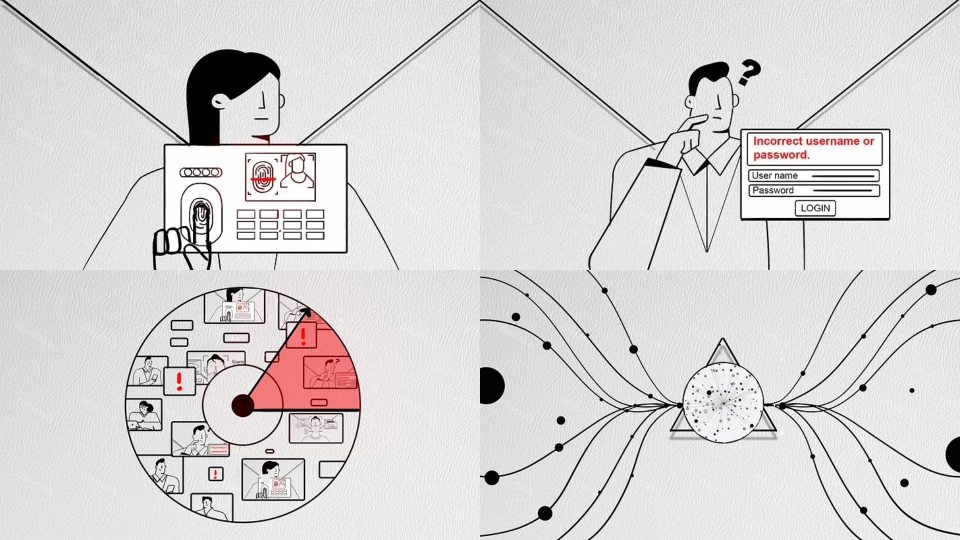
Not very. Rough sketches work. You are communicating intent, not creating art.
Use stick figures to show character placement, arrows to show movement, and use simple shapes to block out UI or product elements.
What actually matters in each sketch:
- What is in the frame (characters, objects, text, UI)
- Where things are positioned (left, center, close-up, wide)
- How the camera moves (zoom in, pan, static)
Over 72% of professional filmmakers have detailed storyboards before production begins. (Pzaz Storyboarding Report)

Step 5: What Sound and Transition Notes Should You Add to Your Storyboard?
Add them in every frame. Sound and transitions are half of how a video feels.
This is where most first-time storyboards fall short. Teams sketch the visuals and forget everything else.
For each frame, note:
- Voiceover line or dialogue
- Background music style (upbeat, neutral, tense)
- Sound effects if relevant
- How the scene ends (cut, fade, zoom out)
These notes are what your voice over recording team and animators use to stay aligned without back-and-forth.
Step 6: Who Should Review Your Video Storyboard Before Production Starts?
Everyone who owns a piece of the video. Review early. Changes on paper cost nothing. Changes in production cost a lot.
Share the storyboard with:
- The marketing or brand lead (does this match the message?)
- The product team if it involves a demo (is this accurate?)
- The video production team (is this producible?)
- The client or internal stakeholder if there is one
Ask one question for each frame: does this frame earn its place? If not, cut it.
Here is how Motionvillee structures the full video production workflow from storyboard to delivery.
Step 7: How Do You Use a Video Storyboard During Production?
Treat it as the single source of truth. Every team member works from it.
Once approved, your storyboard becomes the playbook for animators, editors, voice artists, and designers.
It answers:
- What does this scene look like?
- What is being said here?
- How long should this scene run?
- What comes before and after?
This is why the storyboarding process matters so much in SaaS explainer video production. It is what keeps 6 to 8 week production timelines on track.
A Simple Video Storyboard Template You Can Use Today
Copy this structure into any slide deck or doc. Most explainer videos have 6 to 10 frames. Repeat this for every key scene.
1st Frame
- Visual: Person at a desk, looking at a screen with a confused expression
- Voiceover: “Does your team spend more time explaining your product than selling it?”
- Transition: Slow zoom in
- Music: Neutral, soft
2nd Frame
- Visual: Screen fills with a clean product dashboard animation
- Voiceover: “Meet [Product Name]. The fastest way to [core benefit].”
- Transition: Cut
- Music: Lifts slightly
3rd Frame
- Visual: Three icons appear showing key features
- Voiceover: “Set up in minutes. No training required.”
- Transition: Fade out
- Music: Fades
Need a Storyboard Built for Your Next Video?
Motionvillee has produced 4,370+ videos for B2B companies including Microsoft, Uber, and Accenture. Storyboarding is the first thing we get right on every project.
If you have a product, a script, or just an idea, our team takes it from concept to storyboard to finished video. See how we work.
Not sure what style fits your product? Explore 6 explainer video styles and when to use each one.