
What We Compared and Why
This AI video production budget comparison showed that higher spend does not only change how a video looks. It changes how usable the final asset becomes for marketing, sales, and pipeline support.
Most teams ask one practical question before starting: how much should you spend on AI video production? The better question is sharper: what level of clarity, control, and business risk does this video carry?
The market pressure is real. Wyzowl reports that 91% of businesses use video as a marketing tool, and 63% of video marketers have used AI video tools to help create or edit marketing videos [Wyzowl, 2026]. This is useful survey evidence, but it does not prove every AI produced video performs well. It only shows that AI video is becoming part of normal marketing operations. (Wyzowl)
Motionvillee is an AI video production company for SaaS, tech, cybersecurity, fintech, and finance brands that need video assets to support buyer clarity, sales usage, and measurable growth.
What Stayed the Same Across All 3 Budget Levels
To make the comparison fair, we kept the business goal the same across all three versions.
Each version had the same audience, buyer problem, core message, CTA, approximate duration, funnel stage, and product angle.
That matters because budget comparisons become misleading when every version is built from a different brief. Here, the goal was to understand what changes at different AI video budgets, not compare three unrelated creative ideas.
What the 3 Budget Levels Included
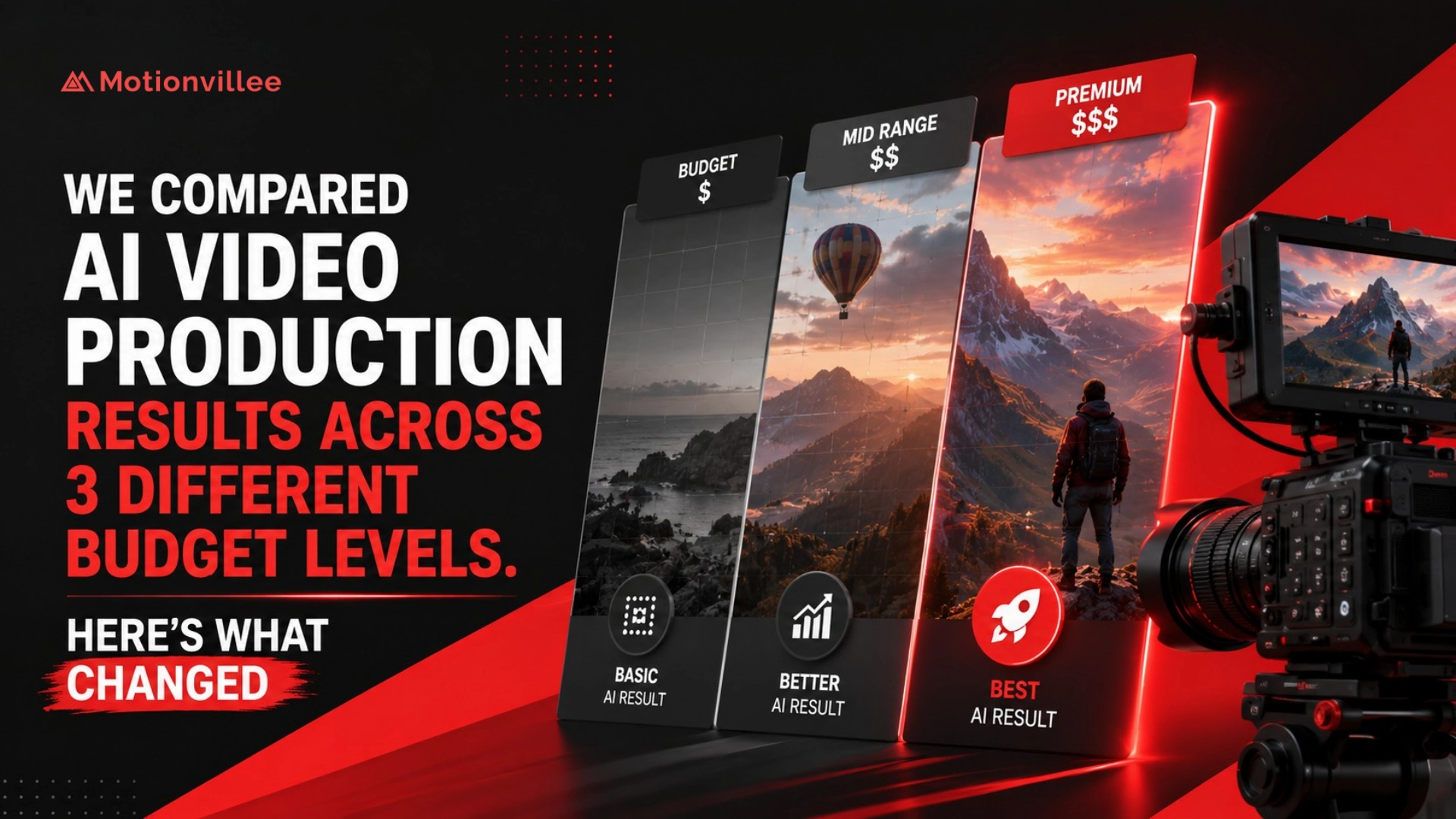
The three budget levels changed the level of strategy, scripting, review, visual control, and campaign readiness.
| Budget level | What it included | Best for |
| Low budget AI video | AI tool output, basic script, simple visuals, light editing | Internal updates, simple social clips, basic tests |
| Mid budget AI assisted video | Better script, storyboard, AI visuals or avatar, editing, review | Product updates, explainers, sales clips, ads |
| Premium hybrid AI video | Strategy, custom script, storyboard, AI support, human direction, polish, versions | SaaS explainers, launch videos, website videos, campaign assets |
The higher budget did not simply buy better AI tools. It bought more decision making before the video was produced.
This is why AI video production cost should be judged by usable output, not only the first quote. For cost planning, read [Link: AI video production cost → /ai-video-production-cost/].
What We Expected Before Comparing the Results
We expected the biggest difference to be visual polish. The bigger difference was message clarity.
The low budget version looked simpler. The mid budget version looked cleaner. The premium version looked more controlled.
But the most important gap was not surface polish. It was how clearly the video explained the buyer problem, product value, proof, and next step.
That matters because a finished looking video can still create weak business value if the viewer does not understand why the product matters.
What Changed in the Low Budget AI Video
The low budget version was fastest, but it had the weakest control.
It worked as a draft or low risk communication asset. It was useful for internal updates, simple announcements, draft concepts, low stakes social tests, and quick training clips.
The limitations were clear. The script felt more generic, the visuals were more template based, pacing needed review, and brand fit was limited.
Low budget AI video works when speed matters more than persuasion. It becomes risky when the video has to influence buyers, explain a complex product, or support sales.
What Changed in the Mid Budget AI Assisted Video
The mid budget version created the best balance between speed and business usefulness.
It had a clearer script, stronger structure, more relevant visuals, cleaner captions, better pacing, basic brand alignment, and a more useful review process.
This made it stronger for product updates, paid ad tests, simple explainers, webinar follow up clips, sales enablement videos, and campaign support content.
IAB reported that nearly 90% of advertisers were using or planning to use generative AI for video ads, with buyers projecting generative AI creative could reach 40% of all ads by 2026 [IAB, 2025]. That supports the business need for faster variation, but it does not prove that every AI ad is good enough without review. (IAB)
The mid budget level worked because it added review around the AI output, not because it replaced the production decision making.
What Changed in the Premium Hybrid AI Video
The premium hybrid version produced the strongest final asset because AI was supported by human direction, stronger scripting, and deeper review.
This version had a stronger brief, better buyer insight, custom script, controlled storyboard, product accuracy review, stronger editing polish, and more useful cutdowns.
It was the best fit for website explainers, SaaS product demos, product launch videos, paid campaign packages, sales enablement systems, fintech videos, cybersecurity videos, and complex technical explainers.
As an AI video production company, Motionvillee uses premium hybrid workflows when the video has to build trust, explain complexity, or influence pipeline. The higher budget is not about using more AI. It is about adding more judgment around the AI.
The Biggest Difference Was Message Clarity
The clearest difference across the three levels was how well the message connected to the buyer.
| Area | Low budget | Mid budget | Premium hybrid |
| Hook | Generic | Clearer | Buyer specific |
| Problem setup | Basic | More relevant | Strong and specific |
| Product explanation | Simple | Clear | Strategic |
| Proof | Limited | Added where needed | Built into the flow |
| CTA | Basic | More relevant | Matched to buyer intent |
This is the answer to how does budget affect AI video production. Budget affects how much thinking happens before production, how much review happens before approval, and how safely the final asset can be used in public facing channels.
What Changed in Visuals, Voiceover, and Editing
Visual quality improved most in consistency, relevance, and brand fit.
The low budget version used faster, more template based visuals. The mid budget version felt cleaner and more aligned with the message. The premium version had stronger control, better product accuracy, and more brand polish.
Voiceover changed too. The low budget version was usable but less controlled. The mid budget version had better pacing. The premium version had stronger tone review, which matters when the video needs buyer trust.
Editing was another visible difference. Low budget editing was functional. Mid budget editing improved clarity and pacing. Premium editing improved rhythm, transitions, sound balance, caption review, and final delivery.
For deeper quality drivers, read [Link: AI video production quality → /ai-video-production-quality/].
What Changed in Revisions and Timeline
Higher budgets created fewer surprises because more review happened earlier.
Low budget production allowed fewer changes and less flexibility. Mid budget production allowed practical improvements. Premium hybrid production allowed deeper review before final approval.
| Budget level | Timeline pattern | Why |
| Low budget | Fastest first draft | Less planning and customization |
| Mid budget | Balanced timeline | More review and editing |
| Premium hybrid | More upfront time | Stronger strategy and final polish |
The fastest version was not always the most usable version. Low budget won on first draft speed. Premium won on final confidence.
Vidyard’s 2025 benchmark report analyzed nearly 1 million B2B videos, showing how widely video is used across sales and marketing communication [Vidyard, 2025]. The report is not an AI budget study, but it supports why businesses need repeatable video systems, not isolated files. (Vidyard)
What Changed in Final Business Use
Final usability was where the budget gap became most obvious.
| Use case | Low budget | Mid budget | Premium hybrid |
| Internal update | Good fit | Good fit | More than needed |
| Social clip | Good for testing | Strong fit | Strong fit |
| Paid ad | Limited | Strong fit | Strong fit |
| Sales follow up | Limited | Good fit | Strong fit |
| Website video | Risky | Possible | Best fit |
| Product launch | Weak fit | Possible | Best fit |
| Complex SaaS explainer | Weak fit | Possible | Best fit |
This is the practical answer to what AI video quality can you get by budget. Low budget can create usable internal or simple content. Mid budget can support marketing and sales. Premium hybrid is safer when the video influences trust, buying confidence, or campaign performance.
For teams comparing a tool led approach with a partner led workflow, read [Link: AI tool vs AI video production agency → /ai-tool-vs-ai-video-production-agency/].
Is a Higher AI Video Budget Worth It?
A higher budget is worth it when the video carries higher business risk. It is not automatically worth it for every use case.
A simple internal update does not need premium production. A low stakes social test can stay lean. But if the video will sit on your website, support paid acquisition, influence sales conversations, or explain a complex SaaS product, the budget should include strategy, scripting, review, and versions.
So is a higher AI video budget worth it? It depends on the cost of being unclear.
If the video affects demo requests, sales confidence, product perception, or buyer trust, the higher budget can protect the business outcome.
How Businesses Should Choose the Right AI Video Budget
Choose the AI video budget based on business risk, not only available spend.
Use this decision model:
| Question | Budget signal |
| Will this video be used publicly? | Mid or premium |
| Will sales use it with buyers? | Mid or premium |
| Does the product need explanation? | Mid or premium |
| Does the video need to build trust? | Premium |
| Is it only for internal updates? | Low or mid |
| Do you need multiple campaign versions? | Mid or premium |
| Will it affect demo requests or pipeline? | Premium |
The wrong move is choosing only by video pricing. The right move is matching budget to the role the video plays in the funnel.
Motionvillee brings 15+ years of production experience to AI video production, helping B2B teams decide where AI can keep production lean and where human direction protects clarity, trust, and business impact.
Final Takeaway: What Changed Across the 3 Budget Levels?
After comparing AI video production at different budgets, the biggest change was control.
The low budget version created faster output.
The mid budget version created a more usable business video.
The premium hybrid version created stronger clarity, trust, and campaign readiness.
So the better question is not:
“How cheap can AI video production be?”
It is:
What level of clarity, control, and business impact does this video need?