

How to Write a SaaS Product Demo Video Script
A great product demo video script can be the difference between a video that merely informs and one that drives real conversions. In SaaS, demo videos play a crucial role in showing prospects how your solution works and why it is worth adopting. These videos often serve as the first hands-on experience a potential customer has with your product, making them a vital part of the sales process.
However, even the most visually appealing demo can fall flat without a well-thought-out script. The script guides the narrative, ensures clarity, and keeps the viewer engaged from start to finish. When done right, a saas demo video script aligns your message with customer pain points and highlights value in a way that feels natural, not forced.
In this blog, you will learn:
- Why scripting is essential for effective demo videos
- The core elements every strong script should have
- A ready-to-use template and a real example you can follow
- Expert tips to make your script more persuasive
By the end, you will have everything you need to craft a script that turns prospects into paying users.
Why Script Quality Makes or Breaks SaaS Demo Videos
The quality of your script directly impacts how well your demo video performs. A clear, structured script ensures the message flows logically and captures attention at every moment. When viewers understand your product quickly, they are more likely to stay engaged and move closer to a decision.
Here is why script quality matters:
- Improves message flow: A strong script avoids confusion by presenting features in a logical order.
- Boosts retention: Clear storytelling keeps viewers watching until the end.
- Builds trust: Well-chosen words make your brand appear polished and reliable.
The impact goes beyond engagement. A well-crafted script increases conversion rates by showing prospects exactly how your product solves their problems. It also shortens sales cycles because decision-makers get the information they need without unnecessary back-and-forth.
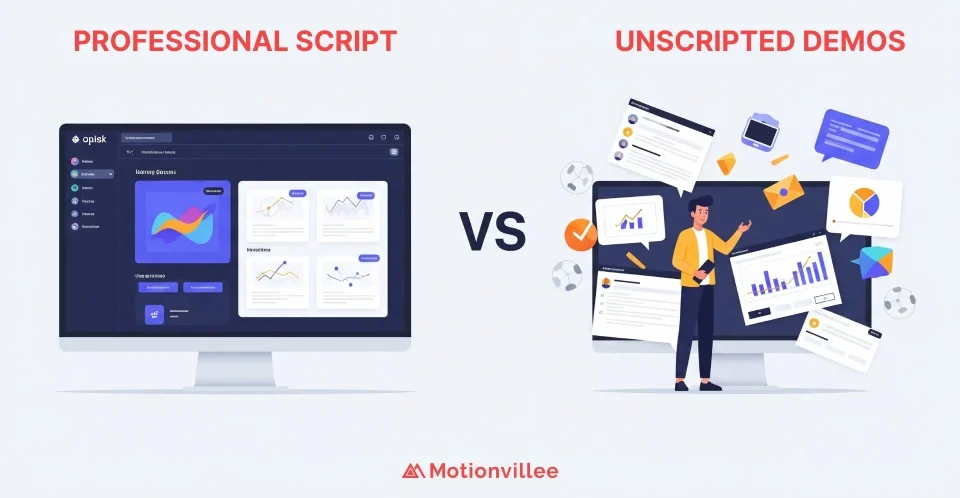
On the other hand, unscripted demos often lead to:
- Rambling explanations that lose viewer interest
- Overwhelming technical details that create confusion
- Missed opportunities to highlight benefits and encourage action
A thoughtful product demo video script eliminates these risks and ensures your demo video works as a powerful sales tool.
When creating your first demo, invest time in script development before touching production tools.
In the next sections, we will break down the essential elements, share a template, and show you how to write a script that truly converts.
Key Elements of a High-Converting SaaS Product Demo Script
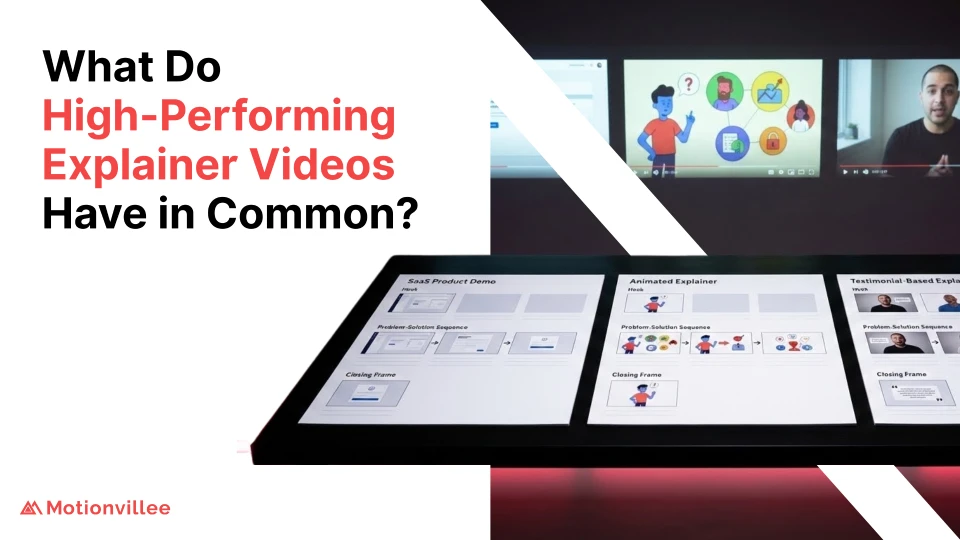
A strong product demo video script is built on a clear structure. Each section of the script plays a role in guiding the viewer from interest to action. Here are the five essential parts you need to include:
1. Hook: Capture Attention in the First Few Seconds
The opening lines set the tone. You only have a few seconds to grab attention, so make them count.
- Start with a bold statement or a relatable question.
- Use language that speaks directly to your audience’s challenges.
- Keep it short, clear, and engaging.
2. Problem: Address the Pain Point Clearly
Next, focus on the problem your target audience faces.
- Show that you understand their struggle.
- Avoid generic statements, be specific about the issue.
- Build empathy to make viewers feel seen and understood.
3. Solution: Show How the Product Solves It
Once the problem is clear, present your product as the solution.
- Demonstrate how your software solves the pain point.
- Highlight unique features without overwhelming with technical jargon.
- Use visuals to reinforce the explanation and keep viewers interested.
4. Proof: Demonstrate Features and Include Social Proof
Prospects trust what they can see and verify.
- Walk through key features with real use cases.
- Include customer testimonials or success metrics to add credibility.
- Keep the proof concise but impactful.
5. CTA: End with a Strong Call to Action
Your script should finish with a clear direction.
- Tell viewers exactly what to do next, whether it is signing up or booking a demo.
- Use actionable phrases like “start your free trial” or “schedule a walkthrough.”
- Make the CTA feel like a natural next step, not a pushy sales line.
When these five elements flow together, your demo video not only educates but also persuades viewers to take action.
Understanding how to structure content helps you organize these elements for maximum impact.
SaaS Product Demo Video Script Template
Writing a script becomes easier when you have a structure to follow. Below is a product demo video template you can adapt to your SaaS solution. Simply fill in the blanks with details relevant to your product and audience.
[HOOK]
- “[Ask a question or make a bold statement about the problem, e.g., ‘Still struggling to manage customer data across multiple tools?’]”
[PROBLEM]
- “We know how frustrating it is when [describe the specific pain point]. It slows your team down and hurts productivity.”
[SOLUTION]
- “Meet [Product Name], the [short description, e.g., ‘all-in-one platform that streamlines your workflow and saves hours every week’].”
[FEATURE PROOF]
- “With [Product Name], you can [list 2–3 key features]. Our customers have seen [share metric or result, e.g., ‘50% faster onboarding times’].”
[CTA]
- “Ready to see it in action? [Invite viewers to take the next step, e.g., ‘Book your free demo today and start transforming your process.’]”
This template keeps your messaging sharp and easy to follow. Adjust the tone and details to match your audience, and you will have a product demo video script that not only informs but also inspires action.
For comprehensive production guidance, review the complete workflow to understand how scripting fits within the broader process.
Example of a SaaS Demo Video Script in Action
To bring the structure to life, here is a short product demo video script that follows the framework outlined earlier. This saas video script sample demonstrates how to engage prospects, explain features, and drive action.
[HOOK]
- “Managing customer interactions across multiple tools? It’s messy, time-consuming, and costing you growth.”
[PROBLEM]
- “Teams waste hours switching between apps, missing updates, and duplicating efforts. It slows everything down and frustrates customers.”
[SOLUTION]
- “Meet FlowSync, the all-in-one platform that connects your CRM, support, and marketing tools into one seamless workspace. With FlowSync, collaboration becomes effortless.”
[FEATURE PROOF]
- “With automated workflows, real-time updates, and built-in analytics, FlowSync empowers your team to work smarter. Businesses like TechWave cut support response times by 40% after switching.”
[CTA]
- “Ready to simplify your operations? Book your demo today and see how FlowSync can transform your workflow.”
Why This Script Works
- Starts strong with a relatable pain point that draws the audience in.
- Clearly shows the solution without overwhelming technical detail.
- Uses proof with metrics and real use cases to build credibility.
- Ends with a direct, action-oriented CTA that feels like a natural next step.
Showcasing Motionvillee’s Work: Odoo POS Demo
One of Motionvillee’s standout projects is the SaaS explainer video for Odoo POS, a point of sale solution tailored for restaurants and cloud kitchens. This video blends storytelling with product features, making complex software easy to understand.
- Project: Odoo
- Type: SaaS Explainer Video
- Style: Motion Graphics SaaS Video
- Industry: SaaS
- Created By: Motionvillee
The video introduces Odoo POS as a witty, intelligent character who transforms chaotic restaurant operations into a smooth experience. It simplifies features like QR code ordering, WhatsApp billing, responsive floor plans, and online delivery integrations with Swiggy and Zomato.
By combining humor, real scenarios, and clear visuals, Motionvillee showcased how Odoo solves real problems for restaurant owners. This project proves how the right script and storytelling approach can turn a demo video into a powerful sales asset.
Understanding storyboarding techniques shows how scripts translate into visual sequences.
Expert Tips to Make Your Script More Persuasive
Even with the right structure, small tweaks can make your script far more effective.
Here are expert tips Motionvillee uses when crafting scripts:
Storytelling and Tone
Use storytelling to make it relatable:
- Frame your product as the hero solving a real customer problem
- Create narrative arc with tension and resolution
- Make prospects see themselves in the story
Align tone with your brand voice:
- Whether your brand is friendly, authoritative, or playful, let it shine through
- Consistency builds recognition
- Authenticity builds trust
Language and Structure
Keep language simple and benefits-focused:
- Avoid jargon; focus on what the user gains
- Replace features with outcomes
- Use “you” language consistently
Keep video length concise:
- The sweet spot is usually 60–90 seconds for demos
- Ensures viewers stay engaged
- Respects viewer attention spans
Ensure smooth flow between sections:
- Transitions should feel natural
- Guide viewers from one idea to the next
- Avoid abrupt jumps or disconnected thoughts
When you apply these tips, your script not only explains but persuades. It transforms your video from a simple product walkthrough into a compelling story that drives action.
Exploring innovative techniques can inspire fresh approaches to script execution.
How Script Integrates with Production Stages
A great product demo video script is only as effective as its execution.
Understanding how your script flows through production ensures your written words translate into visual impact.
Production Integration Points:
Design Stage:
- Visual elements must support script messaging
- Screen sequences planned around script flow
- Design decisions reinforce script priorities
Animation Stage:
- Timing aligned with voiceover pacing
- Motion emphasizes key script moments
- Animation choices bring script to life
Review Stage:
- Test script effectiveness with target audience
- Refine based on comprehension feedback
- Iterate until message lands clearly
Understanding what tools you need x`helps you execute scripts professionally.
Common Script Mistakes to Avoid
Even experienced marketers make these script errors:
Content Mistakes:
Feature Dumping:
- Listing capabilities without context
- No connection to user benefits
- Overwhelming technical detail
Weak Hooks:
- Generic opening statements
- No immediate relevance
- Fails to grab attention
Vague CTAs:
- Unclear next steps
- Multiple competing actions
- Passive language
Structural Issues:
Poor Pacing:
- Too fast for comprehension
- Too slow for engagement
- Inconsistent rhythm
Lack of Focus:
- Trying to reach multiple audiences
- No clear primary message
- Conflicting goals
When choosing production partners, ensure they provide script development support.
Adapting Scripts for Different Demo Types
Not all demos serve the same purpose or audience.
Your product demo video script should adapt based on context:
Overview Demos:
- Purpose: Broad product introduction
- Length: 60-90 seconds
- Focus: High-level value proposition
- Tone: Accessible, welcoming
Feature Demos:
- Purpose: Deep-dive on specific capability
- Length: 90-120 seconds
- Focus: Detailed functionality
- Tone: Informative, technical when appropriate
Use Case Demos:
- Purpose: Industry or role-specific application
- Length: 90-120 seconds
- Focus: Relevant scenarios
- Tone: Relatable, contextual
Understanding what makes specialists different helps you find partners who understand these nuances.
Building Comprehensive Video Strategies Around Scripts
Individual demo scripts support broader video strategies.
Companies that develop systematic scripting approaches can produce consistent, high-quality content across multiple assets.
Strategic Script Applications:
Buyer Journey Alignment:
- Awareness stage scripts (problem-focused)
- Consideration stage scripts (solution comparison)
- Decision stage scripts (proof and action)
Channel Optimization:
- Website scripts (comprehensive)
- Social media scripts (condensed hooks)
- Email scripts (personalized CTAs)
For companies building comprehensive strategies, script templates become reusable assets that scale content production.
Turn Your Script into a Demo That Converts
A strong script is the backbone of every successful SaaS demo video. It ensures your message is clear, engaging, and focused on solving customer problems. When done right, it not only explains your product but also drives prospects to take action.
To make the most of your demo videos:
Audit and Refine:
- Audit your existing scripts and spot areas where clarity is missing
- Refine messaging to highlight benefits, not just features
- Use storytelling and proof to build trust with your audience
Execution Excellence:
- Test scripts with target audience samples
- Iterate based on feedback
- Measure performance and optimize
If you want to take your demos beyond the basics, Motionvillee can help. Our team creates scripts and videos that simplify complex SaaS products and boost conversions.
Get video help from teams that understand SaaS script development, or partner with specialists who bring proven frameworks to every project.
Get in touch with us today to turn your product demo into a powerful sales asset.