
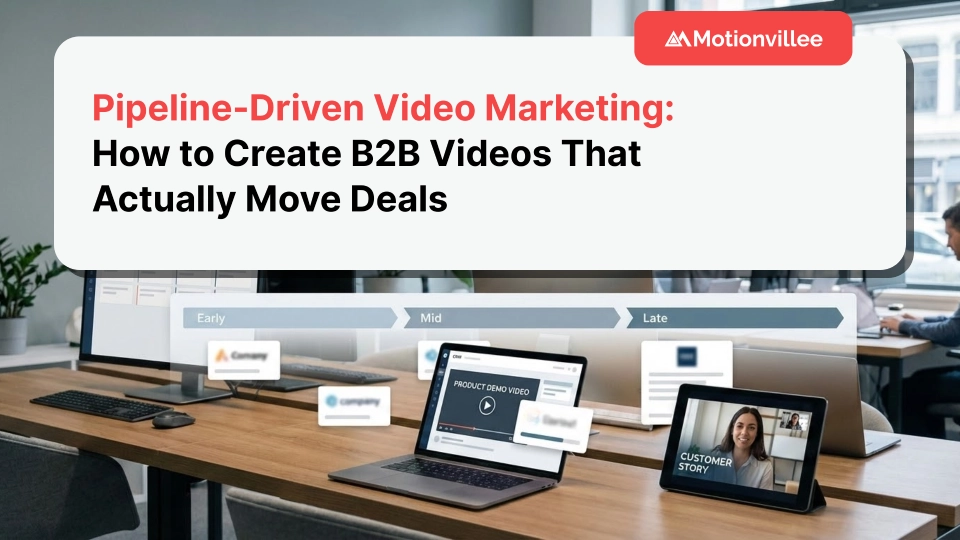
Pipeline-Driven Video Marketing: How to Create B2B Videos That Actually Move Deals
Your video just hit 50,000 views, CMO is celebrating, and your sales team is still stuck with the same pipeline they had last month.
This is the problem with vanity metrics. Views don’t pay salaries. Engagement doesn’t close deals. Shares don’t fill your pipeline. Most B2B video marketing chases attention instead of advancing actual sales conversations.
Pipeline-driven video marketing flips this approach. You create videos designed to move specific deals forward, handle specific objections, and guide prospects through actual purchase decisions. Every video exists to advance pipeline velocity, not rack up view counts.
What Is Pipeline-Driven Video Marketing?
Pipeline-driven video marketing is the practice of creating videos mapped directly to pipeline stages, designed to move deals forward by addressing specific buyer questions, objections, and decision points at each stage.
Unlike brand awareness videos that aim for reach, pipeline-driven videos have one job: help sales close deals faster. Each video corresponds to a specific pipeline stage. Each video resolves a specific barrier preventing deals from advancing.
Your discovery stage video addresses “Is this worth exploring?” Your evaluation stage video answers “How does this compare to alternatives?” Your negotiation stage video handles “What’s the real ROI?” Each video exists because a specific pipeline problem needs solving.
Why Do Most B2B Videos Fail to Move Pipeline?
Most B2B videos fail to move pipeline because they’re designed for marketing metrics, not sales outcomes. Three critical disconnects kill pipeline impact:
The Awareness Trap
Marketing teams create videos for top of funnel awareness. They optimize for views, shares, and engagement. Meanwhile, sales teams need content that handles objections, compares features, and justifies budget.
The awareness video gets 100,000 views. The deal still stalls at legal review because no video addresses implementation complexity.
The One-Size-Fits-All Problem
Companies create a single explainer video and expect it to work for prospects at discovery, evaluation, and decision stages. One video can’t address “What is this?” and “Why choose you over competitors?” and “How do we justify this internally?” simultaneously.
Different pipeline stages require different videos.
The Creative-First Mistake
Video production focuses on visual quality, animation style, and storytelling craft. These matter. But they’re secondary to strategic relevance.
A beautifully animated video that doesn’t address why deals stall at technical review is a beautiful waste of budget. Understanding what sales impact to expect from videos at each funnel stage prevents this mistake.
How Do You Map Videos to Pipeline Stages?
You map videos to pipeline stages by identifying the specific questions, objections, and decision barriers at each stage, then creating videos that resolve those exact barriers.
Start by auditing your current pipeline. Where do deals stall? What questions come up repeatedly? What objections kill momentum? Each stall point needs a corresponding video.
Discovery Stage Videos
At discovery, prospects ask “Is this worth my time?” They need to understand the problem you solve and whether it’s relevant to them.
Your discovery video establishes problem relevance. It doesn’t explain your entire platform. It validates that the pain you address exists for this prospect.
Qualification Stage Videos
At qualification, prospects ask “Is this the right solution category?” They’re deciding whether to pursue video solutions, consulting services, or internal builds.
Your qualification video positions your solution category as the right approach. It handles “Why not build this ourselves?” and “Why not use a different solution type?”
Evaluation Stage Videos
At evaluation, prospects ask “Why you over competitors?” They’re comparing specific features, pricing models, and implementation approaches across 3-5 vendors.
Your evaluation videos need depth. Product demos, feature comparisons, customer stories from similar companies. This is where product demo videos that win deals become essential.
Decision Stage Videos
At decision, prospects ask “How do we justify this internally?” They need ROI calculators, implementation timelines, risk mitigation strategies, and executive summaries.
Your decision videos arm champions with the ammunition they need to sell internally.
What Makes a Video Pipeline-Driven Instead of Just Marketing Content?
A video becomes pipeline-driven when it’s designed to advance deals from one stage to the next, not just generate awareness or engagement.
The difference shows in how you measure success. Marketing videos track views and completion rates. Pipeline-driven videos track deal velocity and stage conversion rates.
Pipeline Videos Have Specific Triggers
Each pipeline video maps to a specific sales trigger. When a prospect asks “How long does implementation take?” sales shares the implementation timeline video. When legal raises security concerns, sales shares the security overview video.
Marketing videos exist for general distribution. Pipeline videos exist for specific sales moments.
Pipeline Videos Assume Context
Marketing videos assume zero prior knowledge. Pipeline videos assume the viewer already understands basics and needs specific depth.
Your discovery explainer starts from zero. Your technical deep dive video assumes viewers already understand what you do and need architecture details.
Pipeline Videos Enable Sales, Not Replace Sales
Marketing videos try to educate prospects independently. Pipeline videos enhance sales conversations by handling complex explanations sales reps can’t deliver live.
Sales uses pipeline videos as tools, not replacements.
How Do You Identify Which Videos Your Pipeline Actually Needs?
You identify needed videos by analyzing where deals stall, what questions sales gets asked repeatedly, and which objections kill momentum most frequently.
Run a pipeline audit across your last 20 closed won and 20 closed lost deals.
The Stall Point Analysis
Map every stage where deals sat for longer than expected. If 60% of deals stall at technical review for 3+ weeks, you need a technical architecture video that preemptively addresses common concerns.
Stall points reveal missing content.
The Question Frequency Audit
Document every question prospects ask during sales cycles. Rank by frequency. The top 10 questions each need dedicated videos.
If “How does this integrate with Salesforce?” comes up in 40% of deals, that question needs a video answer. This is exactly how to use explainer videos in every step of your sales journey strategically.
The Lost Deal Post-Mortem
Review why deals were lost. If “Chose competitor with better implementation support” appears repeatedly, you need an implementation confidence video showing your process, timeline, and support structure.
Lost deals reveal competitive gaps.
What Types of Videos Actually Move Pipeline?
Videos that move pipeline are problem-specific, stage-relevant, and objection-handling rather than general, brand-focused, or awareness-building.
Here are the video types that consistently advance deals:
The Objection-Handling Video
Each major objection gets a dedicated 60-90 second video. “Too expensive” gets an ROI breakdown. “Too complex” gets a simplified implementation overview. “Unproven in our industry” gets vertical-specific case studies.
Sales shares these immediately when objections surface.
The Competitive Comparison Video
Create videos comparing your solution to top competitors on specific dimensions. Not generic “Why us?” content. Specific “You vs Competitor A on Implementation Speed” videos.
Prospects are comparing you anyway. Give them your framing.
The Technical Deep Dive Video
IT and technical stakeholders need architecture overviews, security protocols, integration capabilities, and scalability details. These 5-10 minute videos save hours of technical sales time.
One technical video can replace three technical demo calls.
The Executive Summary Video
Champions need to sell internally to executives who won’t attend demos. A 2-minute executive summary covering business impact, ROI, and strategic value arms your champion.
This video lives in their board deck.
The Implementation Roadmap Video
Buyers fear change management and implementation complexity. A clear 3-5 minute implementation roadmap showing phases, timelines, and resources required eliminates this fear.
This video often closes deals stuck at “We’re not ready.”
How Do You Structure Pipeline Videos Differently Than Marketing Videos?
Pipeline videos use direct, answer-first structures that assume existing context, while marketing videos use story-driven, context-building structures that assume zero knowledge.
Lead With The Answer
Marketing videos build to a reveal. Pipeline videos state the answer in the first 10 seconds. “Implementation takes 6-8 weeks. Here’s the exact timeline.”
Sales prospects are time-pressed. Don’t make them wait for answers.
Focus on Proof, Not Persuasion
Marketing videos persuade viewers you’re worth considering. Pipeline videos prove you can deliver. Show customer metrics. Display implementation timelines. Demonstrate actual product functionality.
By pipeline stages, prospects are past persuasion. They need evidence.
Include Specific Next Steps
Every pipeline video ends with a clear next action. “Schedule a technical review call.” “Download our security whitepaper.” “Request a custom ROI analysis.”
Pipeline videos advance deals. The call to action should advance deals too. Learning from explainer video scripts that convert helps structure these effectively.
How Do Sales Teams Actually Use Pipeline Videos?
Sales teams use pipeline videos as conversation enhancers, objection handlers, and follow-up materials rather than standalone marketing assets.
Pre-Call Video Sharing
Sales sends relevant videos before calls to establish baseline knowledge. “Before our technical review tomorrow, here’s a 3-minute overview of our architecture.”
This makes the actual call more productive.
In-Call Screen Sharing
During discovery or demo calls, sales shares specific videos addressing questions that arise. Buyer asks about security? Pull up the security overview video.
Videos handle complex explanations better than live descriptions.
Post-Call Follow-Up
After calls, sales sends video summaries of what was discussed plus videos addressing concerns that surfaced. “You asked about implementation complexity. Here’s our implementation roadmap.”
This keeps momentum going between meetings.
Multi-Stakeholder Distribution
Champions share pipeline videos with stakeholders who weren’t on calls. Your champion sends the executive summary to their CFO. Your technical contact shares the architecture video with their IT team.
Pipeline videos multiply your sales presence across buying committees. Understanding how to prove revenue impact to leadership teams helps measure this multiplier effect.

What Metrics Actually Matter for Pipeline-Driven Videos?
Pipeline video metrics focus on deal progression, stage conversion rates, and sales cycle length rather than views, engagement, or brand awareness.
Deal Velocity Improvement
Measure time to close before and after implementing pipeline videos. If average sales cycle drops from 120 days to 90 days, your videos are working.
Track this by deal cohort. Compare deals where key videos were shared vs deals where they weren’t.
Stage Conversion Rates
Track conversion rates between pipeline stages. If your technical review stage converts at 45% without videos and 65% with the technical architecture video, that video drives $X in influenced pipeline.
This is the metric that matters to revenue teams.
Video-to-Meeting Conversion
For videos shared in outreach, track how many result in booked meetings. If your problem overview video converts at 12% vs 3% for text-only outreach, calculate the pipeline value difference.
This justifies continued video investment.
Sales Adoption Rate
Track what percentage of sales reps actually use pipeline videos. High-performing content gets shared frequently. Unused videos reveal misalignment between what marketing creates and what sales needs.
Adoption rate predicts impact.
How Do You Create Pipeline Videos Without Overwhelming Resources?
You create pipeline videos efficiently by starting with your highest-impact stall points, using modular production approaches, and prioritizing strategic relevance over production polish.
The Priority Matrix
Map every needed video on two dimensions: frequency of need and deal value impact. Start with high-frequency, high-impact videos first.
The objection that kills 30% of high-value deals? That video gets produced first.
Modular Production Batching
Produce multiple related videos in single production sprints. If you’re creating technical content, batch all technical videos together. Same script development process, same design language, same production timeline.
This is significantly more efficient than one-off video projects. Working with experienced explainer video production services that understand batching helps maximize ROI.
The 80/20 Production Approach
Your discovery and evaluation videos need high production quality because they represent your brand to new prospects. Your technical deep dives and implementation overviews can use simpler screen recordings with voiceover.
Match production investment to strategic importance.
How Do You Test Which Videos Actually Move Pipeline?
You test video effectiveness by tracking deal outcomes in A/B cohorts where some deals receive videos and control deals don’t, measuring stage conversion differences.
The Cohort Comparison Method
Split new deals into test and control groups. Test group receives strategic video shares at key pipeline moments. Control group gets standard sales process without videos.
Compare stage conversion rates and time to close between groups.
The Before/After Analysis
Track pipeline metrics for 60 days before implementing a new video, then 60 days after. Control for seasonality and other variables. Measure the difference.
This works best for high-frequency use cases like qualification calls.
The Sales Feedback Loop
Ask sales reps which videos actually help close deals. Track which videos they share most frequently. Low-share videos either aren’t needed or aren’t good enough.
Sales adoption reveals real-world utility.
What’s the Difference Between Pipeline Videos and Sales Enablement Content?
Pipeline videos are prospect-facing content designed to advance deals, while sales enablement content is rep-facing material designed to train and equip sales teams.
Pipeline videos go to prospects. Sales enablement trains reps on what to say, how to demo, which objections to expect, and when to use which pipeline videos.
You need both. Pipeline videos give sales the tools. Enablement content teaches sales when and how to deploy those tools.
Pipeline Video: Technical Architecture Overview
Prospect-facing video explaining your technical infrastructure, security protocols, and integration capabilities. Sales shares this with IT stakeholders during technical review.
Sales Enablement: Technical Review Playbook
Rep-facing guide explaining when to share the technical architecture video, what questions typically follow, and how to handle common technical objections after the video.
How Do You Handle Multiple Buyer Personas in Pipeline Videos?
You handle multiple personas by creating persona-specific video versions that address the unique concerns, questions, and decision criteria of each stakeholder type.
The CFO Version
CFOs care about ROI, budget impact, and financial risk. Your CFO-targeted video leads with cost savings, productivity gains, and payback period. No feature details. Pure financial framing.
The CTO Version
CTOs care about technical architecture, security, scalability, and integration complexity. Your CTO video dives into tech stack compatibility, API documentation, and infrastructure requirements.
The End User Version
End users care about daily workflow impact, learning curve, and practical usability. Your end user video shows actual product interface and daily use cases.
Champions share different videos with different stakeholders. This is especially critical for SaaS video production services (SaaS Video Production Services) targeting complex buying committees.
How Do You Update Pipeline Videos as Your Product Evolves?
You update pipeline videos through systematic quarterly reviews identifying outdated content, prioritizing updates by usage frequency, and using modular structures that make updates easier.
The Quarterly Content Audit
Every quarter, review all pipeline videos for outdated information. New features, changed pricing, updated competitors, evolved positioning. Flag what needs updating.
The Priority Update Matrix
Prioritize updates based on: (1) How outdated the content is, (2) How frequently the video gets used, (3) How critical it is to closing deals.
High-use, high-impact, very-outdated videos get updated first.
The Modular Design Approach
Structure videos in modular sections so you can update specific segments without redoing entire videos. A pricing change shouldn’t require completely rebuilding your ROI video.
This is why experienced video production services in the USA build videos with update-friendly architectures from the start.
What Role Do Emotional vs Rational Videos Play in Pipeline?
Emotional videos work early in pipeline to create problem urgency and solution interest, while rational videos work later to justify decisions and handle specific objections.
This isn’t about choosing emotion or logic. It’s about deploying each at the right pipeline moment.
Early Pipeline: Emotional Resonance
Discovery and qualification stages benefit from emotional storytelling. Customer stories about transformation. Problem scenarios that resonate. Vision of better outcomes.
Early buyers need to feel the problem before they’ll invest time evaluating solutions. Research shows why B2B buying decisions are 95% emotional even in rational industries.
Late Pipeline: Rational Justification
Decision stages need rational, evidence-based content. ROI models. Implementation timelines. Risk mitigation frameworks. Comparison matrices.
Late buyers need ammunition to defend their emotional decision rationally.
How Do You Align Video Strategy With Sales Methodology?
You align video strategy with sales methodology by mapping video types to your methodology’s specific stages, moments, and required conversations.
If you use MEDDIC, create videos that help establish Metrics, Economic Buyer, Decision Criteria, Decision Process, Identify Pain, and Champion.
MEDDIC-Aligned Video Example
Metrics video: Shows typical KPI improvements customers achieve. Economic Buyer video: Executive summary designed for C-suite. Decision Criteria video: Helps prospects define evaluation criteria. Pain video: Illustrates common pain points and costs.
Challenger Sale-Aligned Videos
If you use Challenger methodology, create videos that teach prospects something new about their problem, tailor insights to their industry, and take control of the sale.
Your teaching videos challenge current approaches and reframe the problem.
What’s the Biggest Mistake Companies Make With Pipeline Videos?
The biggest mistake is creating videos based on what marketing wants to say rather than what actually prevents deals from advancing in your pipeline.
Marketing creates a beautiful brand story video. Sales never shares it because it doesn’t help close deals. Meanwhile, sales is manually explaining your implementation process on 40 calls per month because no implementation video exists.
The Symptom: Low Sales Adoption
You invested $50k in video content. Sales reps share it in 5% of deals. This means the content doesn’t solve real sales problems.
The Fix: Start With Sales Problems
Before creating any video, ask: What deal-killing problem does this solve? Which pipeline stage does this advance? What specific objection does this handle?
No clear answer? Don’t make the video.
Building a comprehensive full-funnel video strategy prevents this misalignment by starting with pipeline needs, not creative ideas.
How Do You Calculate ROI on Pipeline-Driven Videos?
You calculate ROI by measuring the incremental pipeline value generated by improved conversion rates and shortened sales cycles, compared to total video production and distribution costs.
The Formula
1 Step: Calculate baseline stage conversion rate without videos. 2 Step: Measure improved conversion rate with videos. 3 Step: Calculate incremental deals closed due to improvement. 4 Step: Multiply by average deal value. 5 Step: Subtract video production and distribution costs.
Example Calculation
Technical review stage converts 50% without video, 65% with technical architecture video. You process 100 deals per quarter through technical review. That’s 15 additional deals closed. Average deal value: $50k. Incremental value: $750k per quarter. Video cost: $15k. ROI: 4,900%.
This is real pipeline impact, not vanity metrics.
How Do You Build a Pipeline Video Library From Scratch?
You build a pipeline video library by starting with your three highest-impact stall points, producing videos that address those specific barriers, measuring impact, then expanding systematically.
Month 1: Audit and Prioritize
Analyze your pipeline. Identify the three stages where deals stall most frequently and for longest duration. Document the specific questions and objections causing those stalls.
Month 2-3: Produce Priority Videos
Create videos addressing your top three stall points. One discovery stage problem video. One evaluation stage comparison video. One decision stage ROI video.
Month 4: Measure and Refine
Track deal velocity and conversion rates for deals using these videos vs deals without them. Gather sales feedback. Refine messaging based on what’s working.
Month 5-6: Expand Systematically
Add videos for the next tier of frequently-occurring pipeline barriers. Build out your question-answering video library methodically. Learning how to turn views into demos helps maximize reach as your library grows.
Month 7+: Optimize Distribution
Create sales playbooks mapping which videos to share at which pipeline moments. Train sales on video usage. Build video-sharing into your CRM workflow.
Why Pipeline Velocity Matters More Than View Counts
Pipeline velocity measures how quickly deals move through your sales cycle, directly impacting revenue, while view counts measure awareness without proving business impact.
A video with 5,000 views that shortens your sales cycle by 20 days generates more revenue than a video with 500,000 views that doesn’t affect deal progression.
Here’s why: If your average deal value is $40k and your sales team closes 50 deals per quarter, a 20-day cycle reduction means you close more deals per quarter with the same resources. That’s real revenue growth.
View counts feel good. Pipeline velocity pays salaries.
The companies winning with video in 2026 stopped chasing viral moments and started measuring deal advancement. They track stage conversion rates, sales cycle length, and win rates by video exposure.
Within 90 days, you can identify your top three pipeline stall points and create videos that address them. Your sales team gains tools that actually help close deals, average sales cycle shortens because prospects get answers faster, and your stage conversion rates improve because objections get handled proactively.
And your video investment finally shows up where it matters: in closed revenue, not just marketing dashboards.
Ready to build videos that actually move pipeline? Let’s identify where your deals stall and create content that gets them unstuck.