
Why Explainer Video Creation Requires the Right Tools and Team
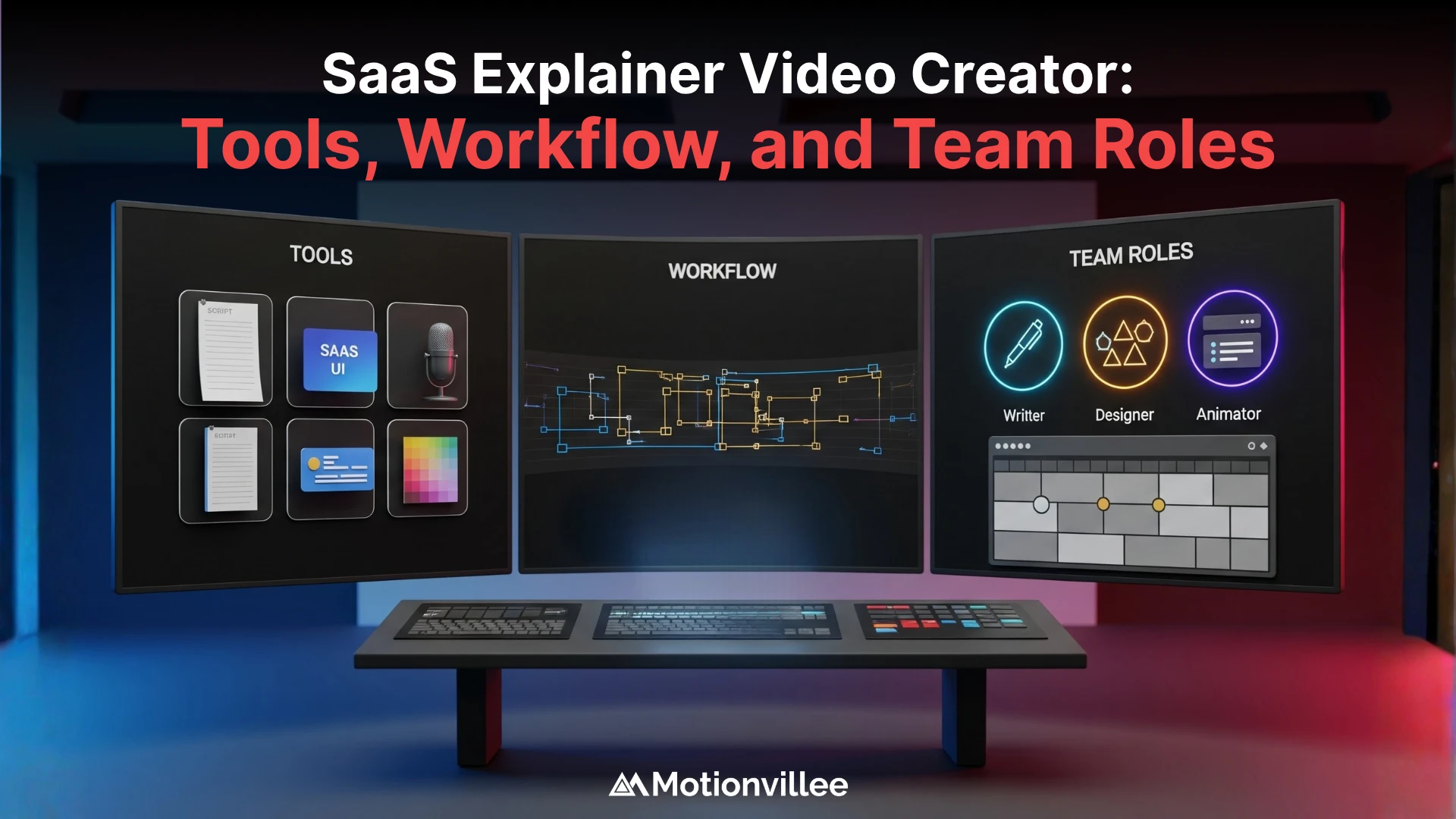
Most SaaS companies underestimate what goes into creating converting explainer videos, thinking one person with basic software can handle it. The truth is that SaaS explainer video tools alone won’t deliver results without the right team behind them. Success requires the right combination of software, specialized skills, and clear team roles working together from script to final delivery.
When you invest in the right tools and assemble the right team, production becomes faster, quality improves, and conversions follow. Poor tool choices or missing team members create bottlenecks that waste months and money. The companies that produce converting explainers have both the technical infrastructure and human expertise aligned.
Your SaaS explainer videos are built by people using tools in a process. Get all three right, and results compound quickly.
What Software Tools Do You Need to Create SaaS Explainer Videos?
You need three categories of SaaS explainer video tools: scriptwriting software, production tools, and editing software, and skipping any category compromises the entire project.
Scriptwriting Tools
Professional scripts are the foundation of converting explainers. Your scriptwriting tools should help you structure messaging, not just type words.
| Tool | Best For | Cost | Learning Curve |
|---|---|---|---|
| Google Docs / Word | Basic script drafting | Free/Included | Minimal |
| Tella / Runway | Video scripting with timeline | $50-150/mo | Moderate |
| Motionvillee templates | SaaS messaging frameworks | Included in service | Low |
Strong scriptwriting tools save revision rounds later because the script is clear from the start.
When writing scripts, the right tools help you structure content for conversions.
Video Production and Animation Software
Production tools let you capture or create the visuals your script describes. Animation software is essential for motion graphics that explain complex features.
| Software | Use Case | Budget | Professional Level |
|---|---|---|---|
| Camtasia / ScreenFlow | Screen recording | $100-200/year | Intermediate |
| Figma | Design and storyboarding | $120-144/year | Intermediate |
| Adobe After Effects | Animation and motion graphics | $23/month | Advanced |
| Motionvillee workflow | Custom animation + brand consistency | Professional service | Enterprise |
High-quality production software directly impacts viewer perception of your SaaS credibility.
Understanding design processes shows how SaaS explainer video tools support visual execution.
Video Editing and Post-Production Software
Editing software assembles all elements into a cohesive final product. This is where pacing, transitions, and polish happen.
- DaVinci Resolve: Professional color grading and editing, free tier available
- Final Cut Pro or Premiere Pro: Industry standard for video editing
- Adobe Audition: Audio editing for voiceovers and sound design
Our explainer video services rely on professional-grade editing tools because tool limitations directly affect final quality and delivery speed.
What Are the Core Team Roles Required to Create High-Converting Explainers?
High-converting explainers require five core roles: a strategist/scriptwriter, animator/designer, video editor, voiceover talent, and project manager, though smaller teams can overlap responsibilities.
Team Roles and Contributions
| Role | Key Responsibilities | SaaS-Specific Skills | Typical Timeline |
|---|---|---|---|
| Strategist/Scriptwriter | Audience research, messaging strategy, script structure | SaaS product knowledge, buyer psychology, funnel awareness | 5-10 days |
| Animator/Designer | Storyboarding, animation, visual pacing, motion graphics | Visual storytelling, motion timing, design principles | 7-14 days |
| Video Editor | Assembly, pacing, color correction, audio mixing | Timing precision, narrative flow, technical proficiency | 3-5 days |
| Voiceover Talent | Script delivery, tone consistency, pacing | Conversational SaaS tone, credibility | 1-2 days |
| Project Manager | Timeline management, coordination, revision tracking | Communication, workflow optimization | Throughout |
Strategist and Scriptwriter
This person understands your SaaS product, target buyer, and SaaS messaging best practices. They translate product features into buyer benefits and structure scripts for maximum engagement.
- Responsibilities: Audience research, messaging strategy, script structure, CTA clarity
- SaaS specific skills: Understanding complex product positioning, buyer pain points, funnel stages
- Motionvillee insight: Sana Shaikh (brand strategist) leads this role, ensuring every script aligns with buyer journey
A weak scriptwriter kills conversion rates even with perfect animation.
Animator and Designer
This role translates scripts into visual storytelling. They make complex concepts understandable through motion graphics and design choices.
- Responsibilities: Storyboarding, animation design, visual pacing, motion graphics
- Key skills: Visual storytelling, understanding pacing, design principles, motion timing
- Motionvillee approach: Designers work closely with scriptwriters to ensure visuals match messaging sequentially
Professional animation transforms a good script into a converting asset.
Learning storyboarding techniques shows how designers use SaaS explainer video tools to translate concepts into visuals.
Video Editor
The editor assembles all components into the final product. They handle timing, transitions, audio sync, and overall flow.
- Responsibilities: Assembly, pacing adjustment, color correction, audio mixing
- Key skills: Timing precision, understanding narrative flow, technical proficiency
- Motionvillee process: Editors work from detailed briefs that define pacing and structure upfront
Editing quality affects completion rates directly.
Understanding animation processes shows how editing integrates with motion graphics.
Voiceover Talent
The voiceover voice carries your messaging and sets tone. Professional talent sounds credible and maintains consistent pacing.
- Responsibilities: Script delivery, tone consistency, pacing alignment
- Key consideration: SaaS voiceovers should sound conversational, not robotic
Project Manager
This role keeps the workflow moving and prevents bottlenecks. They coordinate between all team members and keep production on schedule.
- Responsibilities: Timeline management, approval workflows, stakeholder communication, revision tracking
Team coordination and B2B marketing videos require strong project management to ensure messaging stays aligned across all channels.
Small Team Option
Teams with fewer resources can combine roles: the scriptwriter might also do light design work, or the editor might handle basic animation. However, the core functions still need to happen.
How Should You Organize Your Workflow to Create Explainers Efficiently?
Efficient video production workflow follows seven sequential phases: brief, scripting, storyboarding, animation, editing, review, and delivery, and skipping steps or reordering phases creates costly delays.
| Phase | Duration | Key Outputs | Dependency |
|---|---|---|---|
| Planning & Brief | 2-3 days | Project brief, buyer persona, script direction | None |
| Scripting | 5-10 days | Final script, messaging structure, CTA | Completed brief |
| Storyboarding & Design | 5-7 days | Storyboard, design assets, animation reference | Locked script |
| Animation & Production | 7-14 days | Animated sequences, rough assembly | Approved storyboard |
| Editing & Post-Production | 3-5 days | Final edit, color correction, sound design | Animation complete |
| Review & Revisions | 2-3 days | Stakeholder feedback, approved changes | Final edit |
| Delivery & Distribution | 1-2 days | Web-optimized video, platform versions | Approved edits |
Phase 1: Planning and Brief
Define your explainer goals, target buyer, and key messages before anyone touches software.
- Key outputs: Project brief, buyer persona, script direction, success metrics
- Bottleneck prevention: Clear briefs prevent revision loops later
Phase 2: Script Development
Your scriptwriter crafts the full message architecture based on the brief.
- Key outputs: Final approved script, messaging structure, CTA clarity
- Duration: 5-10 business days depending on feedback rounds
- Motionvillee workflow: Uses structured frameworks to accelerate this phase
Scripting can’t be rushed. A weak script requires animation rework later.
Phase 3: Storyboarding and Design
Your designer creates visual sequences that match the script, frame by frame.
- Key outputs: Storyboard, design assets, color palette, animation reference
- Dependency: Can’t start until script is locked
- Timeline: 5-7 business days
This phase prevents animation rework because visuals are approved before production begins.
Phase 4: Animation and Production
Animators bring the storyboard to life using production software.
- Key outputs: Animated sequences, rough edit assembly
- Duration: 7-14 business days depending on complexity
- Motionvillee approach: Parallel production phases where possible to compress timeline
Phase 5: Editing and Post-Production
Video editor assembles all elements, adjusts pacing, adds voiceover and sound.
- Key outputs: Final edit, color-corrected footage, sound design
- Duration: 3-5 business days
- Dependency: Requires approved animation and voiceover recording
Phase 6: Review and Revisions
Stakeholders review the final cut and request changes. This phase controls revision scope.
- Key consideration: Define revision limits upfront to prevent endless loops
- Duration: 2-3 business days for feedback, then revisions
Phase 7: Delivery and Distribution
Final file optimization, platform uploads, analytics setup.
- Key outputs: Web-optimized video, landing page version, social version, ad version
- Duration: 1-2 business days
Workflow efficiency depends on clear handoffs and eliminating rework. When phases overlap or skip steps, timeline stretches and costs multiply.
Understanding the complete workflow shows how tools and team integrate across production stages.
Should You Build an In-House Team or Outsource Explainer Video Creation?
Building in-house offers creative control and consistency, while outsourcing to a specialized explainer video agency offers speed and expertise at lower overhead, and the right choice depends on your production volume and budget.
In-House vs Outsourcing Comparison
| Factor | In-House Team | Outsourced Agency |
|---|---|---|
| Timeline to first video | 6-8 weeks (hiring + training) | 3-4 weeks |
| Monthly cost (1 video) | $8K-15K | $4K-8K |
| Monthly cost (4+ videos) | $12K-20K | $16K-32K |
| Creative control | Full | Moderate (needs clear briefs) |
| Hiring time | 8-12 weeks | None |
| Tool investment | $5K-15K upfront | Included |
| Ramp-up time | 4-6 weeks | Immediate |
| Scalability | Limited by team size | Scales with demand |
| Turnover risk | High (key person departure) | Low (agency continuity) |
In-House Team Advantages and Hidden Costs
Building your own team gives you control and deep product knowledge continuity. However, hiring, training, and retaining specialized talent is expensive.
Advantages:
- Full control over messaging and brand consistency
- Deep product knowledge builds over time
- Available for quick revisions and iterations
- Lower per-project cost at high volume
Hidden costs:
- Salary + benefits for specialized roles (animator, editor, strategist) ranges from $60K to $150K per person
- Hiring timeline: 2-3 months to find qualified talent
- Training period: 4-6 weeks before first project
- Tool subscriptions: $200-500 per month across software licenses
- Equipment and infrastructure: $5K-15K upfront
- Turnover risk: Key people leaving disrupts workflow
In-house teams make sense when you need 4+ explainers monthly and can afford the overhead.
Outsourcing to an Explainer Video Agency
Outsourcing to a specialized SaaS explainer videos agency provides pre-assembled expertise without hiring overhead. You pay per project but access all necessary roles immediately.
Advantages:
- Immediate access to full team (strategist, animator, editor, project manager)
- Faster turnaround: 3-4 weeks vs 6-8 weeks in-house
- No hiring or training time
- No tool or infrastructure investment
- Risk distributed across multiple projects
- Motionvillee example: You get Sana’s strategy expertise, Samruddhi’s execution oversight, plus full design and animation team without hiring
Considerations:
- Less day-to-day control over minor decisions
- Requires clear briefs to prevent misalignment
- Higher per-project cost but no overhead
- Need to vet agency expertise in SaaS
Outsourcing makes sense for companies producing fewer than 4 explainers monthly or when speed to market matters.
When choosing agencies, evaluate their tool stack, team expertise, and workflow maturity.
Hybrid Approach
Many companies hire a strategic lead in-house and outsource production. This gives you consistency and control without full team overhead.
What Skills Do Scriptwriters and Video Strategists Need for SaaS Explainers?
SaaS script writing requires strategist skills beyond copywriting: deep SaaS product knowledge, buyer psychology understanding, funnel awareness, and messaging discipline, because weak scripting kills conversion rates regardless of animation quality.
SaaS Script Writing Foundation
Strong SaaS scripts follow a proven structure: problem acknowledgment, pain agitation, solution explanation, and clear CTA. The script must guide viewers emotionally from problem to action.
- Copywriting skill: Write persuasive, concise language that converts
- Audience psychology: Understand what makes buyers trust and act
- Product knowledge: Know your SaaS deeply enough to explain benefits accurately
SaaS Specific Scripting Skills
SaaS explainers demand extra rigor because the products are complex and buyers are skeptical.
- Messaging discipline: Cut jargon and technical language; translate features into benefits buyers understand
- Problem-first mindset: Script must open with the buyer’s pain, not your product
- Funnel alignment: Different scripts for unaware vs problem-aware vs solution-aware buyers
- Demo positioning: Position your explainer video script separately from product demo scripts
Scripts that try to explain features without solving problems fail to convert.
Video Strategy Understanding
The scriptwriter must understand how the explainer fits within your broader video strategy across awareness stages.
- How does this explainer support landing pages and paid ads?
- What job does this video do in your sales funnel?
- How does it differ from your product demo video?
- Motionvillee approach: Scripts are built within a broader strategy framework, not as one-off pieces
When structuring content, strategic scriptwriters ensure messaging aligns with conversion goals.
How Do You Choose Animators and Designers for Your Explainer Videos?
Professional animators who understand SaaS complexity produce explainers that convert, while cheap animation kills credibility and conversion rates even with perfect scripts.
Animation Quality Indicators
| Portfolio Red Flag | Portfolio Green Flag |
|---|---|
| Excessive effects that distract | Custom design per client |
| Inconsistent animation speed | Consistent visual style |
| Generic design for any industry | Clear SaaS/B2B experience |
| Voiceover-animation mismatch | Synchronized pacing |
| Template-based work | Conversion-focused design |
What Separates Professional Animation from Amateur Work
Amateur animation often looks choppy, has unclear pacing, or uses generic templates. Professional animation tells a visual story that matches the script’s message.
- Amateur signs: Stock motion templates, inconsistent timing, unclear visual hierarchy
- Professional signs: Custom motion, intentional pacing, design that guides viewer attention
Conversion differences are stark: professional animation explainers convert 2-3x higher than amateur versions.
Animator Portfolio Red Flags
When evaluating animation designers, watch for work that shows weak visual storytelling.
- Excessive effects that distract from message
- Inconsistent animation speed (some sections fast, others slow)
- Generic design that could apply to any industry
- Voiceover pacing doesn’t match animation timing
- No evidence of SaaS or B2B product experience
Animator Portfolio Green Flags
Strong SaaS animators show these qualities in their work.
- Custom design for each client (not template-based)
- Consistent visual style throughout projects
- Animation that clarifies complex concepts
- Pacing that matches voiceover naturally
- Previous SaaS and B2B explainer work
- Understanding of conversion-focused design
Cost Reality
Quality animation costs $3K-$15K per minute depending on complexity. Cheap animation at $500-$1K per minute saves money upfront but kills conversions.
Consider your conversion math:
If an explainer drives 10 demo requests and your demo-to-customer rate is 30%, one customer from that explainer is worth $5K-$50K depending on your deal size.
Poor animation that reduces conversions by 50% costs you $2.5K-$25K. Cheap animation is expensive.
Understanding what makes specialists different helps you evaluate true expertise.
What Metrics Should You Track During Explainer Video Creation?
Track production metrics (timeline, revisions, asset quality) during creation, not after, because measurement during production prevents costly mistakes and reduces rework.
Production Tracking Metrics
| Metric | Target | Red Flag | Action |
|---|---|---|---|
| Script phase timeline | 5-10 days | Extends to 12+ days | Increase revisions limit or reassign |
| Revision rounds | 2 rounds max | 4+ rounds requested | Lock scope, move forward |
| Design phase | 5-7 days | 8+ days | Parallel production start |
| Animation pacing | Matches voiceover | Inconsistent speed | Resync with editor |
| Design consistency | Same palette throughout | Color/style shifts | Quality review checkpoint |
| Voiceover audio | Clear, no background noise | Muffled or distorted | Rerecord sections |
Production Timeline Adherence
Monitor whether each phase completes on schedule. Delays in early phases (scripting, design) cascade through animation and editing.
- Script phase target: 5-10 days
- Design phase target: 5-7 days
- Animation phase target: 7-14 days
- Editing phase target: 3-5 days
- Total target: 3-4 weeks from brief to delivery
Track actual vs planned timeline daily. If script phase extends beyond 12 days, adjust remaining phases or risk missing delivery deadline.
Revision Rounds and Scope Creep
Unlimited revisions destroy timelines. Define revision limits upfront (typically 2 rounds of feedback per phase).
- Script revisions: 2 rounds maximum before approval
- Design revisions: 2 rounds maximum
- Edit revisions: 2-3 rounds maximum
Tracking revision requests prevents scope creep that extends timelines by weeks.
Asset Quality Benchmarks
Define quality standards before production starts. Check animation pacing, design consistency, audio clarity against benchmarks.
- Animation pacing: Motion speed consistent with script pacing
- Design consistency: Color palette and style consistent throughout
- Audio quality: Voiceover clear, background music appropriate volume
- Visual hierarchy: Important elements draw eye first
Catching quality issues early prevents rework at the editing stage.
Conversion Readiness Assessment
Before delivery, verify the explainer meets conversion criteria developed in the brief.
- Script clarity: Does it open with the buyer’s problem?
- CTA strength: Is the call to action specific and compelling?
- Length: Does it match target duration?
- Brand alignment: Does messaging match your positioning?
Assess against paid ad video content standards: if you’re paying to distribute this, performance metrics matter before launch.
Measurement discipline during production leads to faster turnaround, fewer reworks, and higher conversion explainers.
Building Comprehensive Video Strategies
Individual explainer videos support broader marketing initiatives.
Companies that develop systematic approaches to SaaS explainer video tools and team management can produce consistent, high-quality content across multiple assets.
Strategic Applications:
Buyer Journey Coverage:
- Awareness stage explainers
- Consideration stage demos
- Decision stage proof content
Channel Optimization:
- Website hero videos
- Social media snippets
- Email nurture content
For companies building comprehensive strategies, tool investment and team development become scalable capabilities.
Technology Trends in 2026
SaaS explainer video tools continue evolving rapidly.
Emerging capabilities:
AI-Assisted Production:
- Script generation frameworks
- Automated storyboard creation
- Voice synthesis improvements
Collaboration Platforms:
- Real-time feedback tools
- Cloud-based editing
- Distributed team workflows
Analytics Integration:
- Advanced viewer tracking
- Conversion attribution
- A/B testing infrastructure
When creating your first video, balance emerging tools with proven production fundamentals.
Ready to Build Your Explainer Video Team and Workflow?
Explainer video success depends on three interdependent components: the right software tools, the right team roles, and the right workflow process. Skip any of these and your results suffer.
The decision between building in-house and outsourcing depends on your volume and budget. If you produce 1-3 explainers quarterly, outsourcing saves you overhead and gives you immediate expertise. If you need 4+ monthly and have budget for hiring, in-house builds consistency.
Motionvillee brings all three components together for you. We handle the tool stack, maintain the specialized team (strategy, design, animation, editing), and execute a proven production workflow. You get converting explainers without building overhead.
Ready to accelerate your explainer video production? Start your project with teams who bring professional SaaS explainer video tools, proven workflows, and conversion-focused expertise to every engagement.
Schedule a consultation with Motionvillee. Let’s discuss your video needs, production timeline, and how we can build a strategy that converts prospects into demos.