
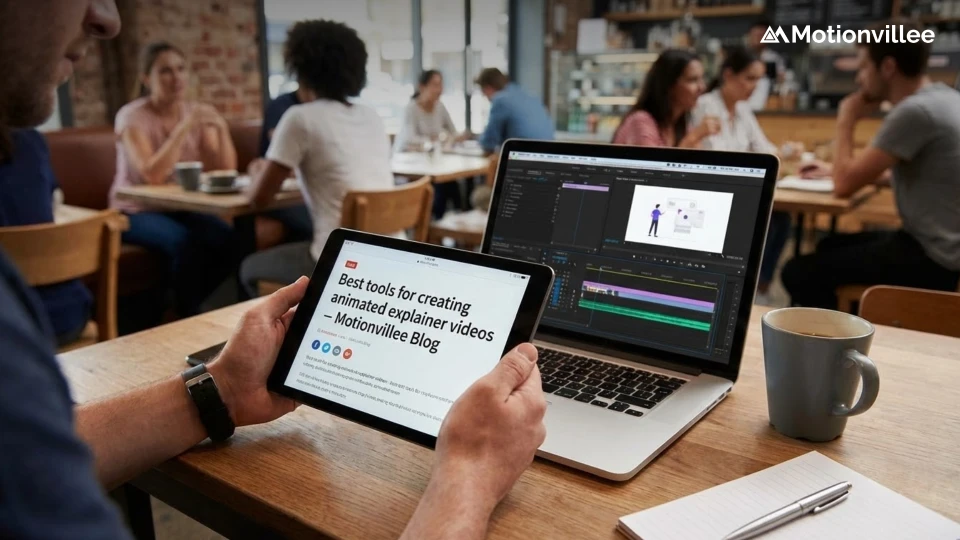
Best Tools for Creating Animated Explainer Videos
The State of Video Marketing 2019 report says that more than 87% of businesses now use video as a marketing tool.
If we put in perspective that the number was 63% in 2017 and 81% in 2018, it is clear that there has been a tectonic shift towards making videos.
Explainer videos are best to engage with your audience and deliver your message in a way that is easily digestible. Use the power of animation and graphics to increase your brand value and conversions.
We give you a rundown of some of the best tools you can use for creating animated explainer videos:
PowToon
It is an online software that lets you create animated videos. With high-quality animations to boot, they have a bunch of ready-made templates.
Its drag and drop feature lets you create animated videos without any technical or coding knowledge. It comes with an intuitive interface which has a bunch of pre-made templates that you can choose from. This tool is mainly used for training and educational purposes.
Pricing:
- Starter: $16/month
- Pro: $19/month
- Pro+: $49/month
- Agency: $99/month
The difference in these packages is based on the number of exports, length of the video, storage and so on.
Wideo
This tool has over 1300 images and 50+ music tracks that you can use to create full HD explainer videos. You can create explainer videos, animated presentations, video e-cards and more without prior knowledge of animation.
Make videos and upload it to YouTube for free using Wideo.
Wideo gives you a 7-day free trial after which you would have to upgrade to continue using their services.
Pricing (annual billing):
- Basic: $19/month
- Professional: $39/month
- Enterprise: $79/month
Their enterprise package comes with an entire suite of features that can help you create kick-ass videos.
Animaker
Create animated presentations, video infographics, and explainer videos with the Animaker tool.
It comes with six different video styles: Handcraft, Infographics, Typography, Vertical videos, 2D and 2.5D.
They have a free version that you can use to create 2-minute videos.
Pricing:
- Personal: $12/month
- Startup: $19/month
- Business: $39/month
- Enterprise: $99/month (billed annually)
Animaker’s Enterprise plan comes with a suite of creative tools and is one of the best DIY solutions for all your creative needs.
Biteable
They call themselves the world’s simplest video maker. They’ve had more than 3 million-plus videos already created using their platform.
Using Biteable you can create video ads, explainer videos, infographics, animations and more. You can create unlimited free videos with their watermark on it.
Pricing (billed yearly):
- Starter Plan: $20/month
- Pro Plan: $29/month
- Unlimited Plan: $49/month
Biteable’s minimalistic design makes it a stand out. In fact, there is an opinion that its free version is more than enough to create professional videos.
Vyond
Vyond allows you to create professional animated videos for marketing, training and the eLearning industries. Enterprise, Business and Personal.
While they are a bit on the costlier side, it is considered a highly effective animation tool. It comes with a range of data security and privacy features which makes it highly secure. It allows for effective collaboration so that you can work with your team smoothly.
Reallusion:
The trial version of Reallusion offers you G3 character human template and 3x fully functional PSD project.
Features include:
- G3 motion libraries
- 2D motion key editing
- Face and puppet key editor
- G2 characters with 3D motion key editor
- Elastic effect motion controller
- Timeline editing and more
VideoScribe
This tool is easy to use, implement and more importantly- inexpensive. You can use images, text, and use voice-overs to create animated explainer videos that can help with your branding.
With its intuitive drag and drop features, anyone with zero animation skills can easily make high-quality videos.
Pricing:
- Monthly: $17.50
- Quarterly: $35 (3 monthly payments)
- Annual: $8/month
One of the best things about VideoScribe is that it is one of the cheapest tools around.
RawShorts
It is a popular DIY animation software which helps you create custom videos using its drag and drop feature.
Use the tool to personalize your video by adding text, images and transition effects that will add more charm to the video. You can create professional-looking videos that will have the desired effect on your audience.
Its media library gives you a variety of options that you can choose when building your animated video. Its unique text to animated video technology helps you create brilliant videos.
Renderforest
Use the branding tools of Renderforest to create logos, professional intros, promo videos, slideshows, landing pages, explainer videos, and so on.
You can export an unlimited amount of high-quality videos to use for your business even with its free version.
Pricing:
- Amateur
- Pro
- Popular
- Agency
The tool also comes with plenty of templates that you can customize to create explainer videos without having to spend a lot of money. With its easy to use interface, you can edit videos, text and create seamless videos that will lift the value of your brand immensely.
DIY vs Professional Production
While these tools offer great DIY options, understanding how much professional production costs helps you make informed decisions.
Before starting with any tool, learn the explainer video creation process and master script fundamentals for better results.
Also consider optimal video length for your audience.
After Creating Your Video
Once you’ve created your video, the work isn’t done.
Learn how to promote your video effectively and [measure your video ROI](link to: Explainer Video ROI: How to Prove Revenue Impact to Your Leadership Team) to show leadership the impact.
Conclusion
Did you know that 20% of your website visitors will read a document while at least 80% of them will watch a video?
With all these tools available for you, it shouldn’t be an afterthought to invest in video marketing. Create explainer videos, how-to videos, company profile videos, webinars, company training videos, etc, with the help of the above tools that we have outlined here.
Explainer videos are going to be in more demand over the days. You can use it to influence your customers the right way without sounding ‘salesy’. The explainer video industry has changed the way how companies brand and market themselves, get on to the bandwagon and create one for yourself.
Need help deciding between DIY and professional production? Work with video experts who can guide you through the process or connect with our team for a consultation on what works best for your goals.