
Why We Tested AI for a SaaS Explainer Storyboard
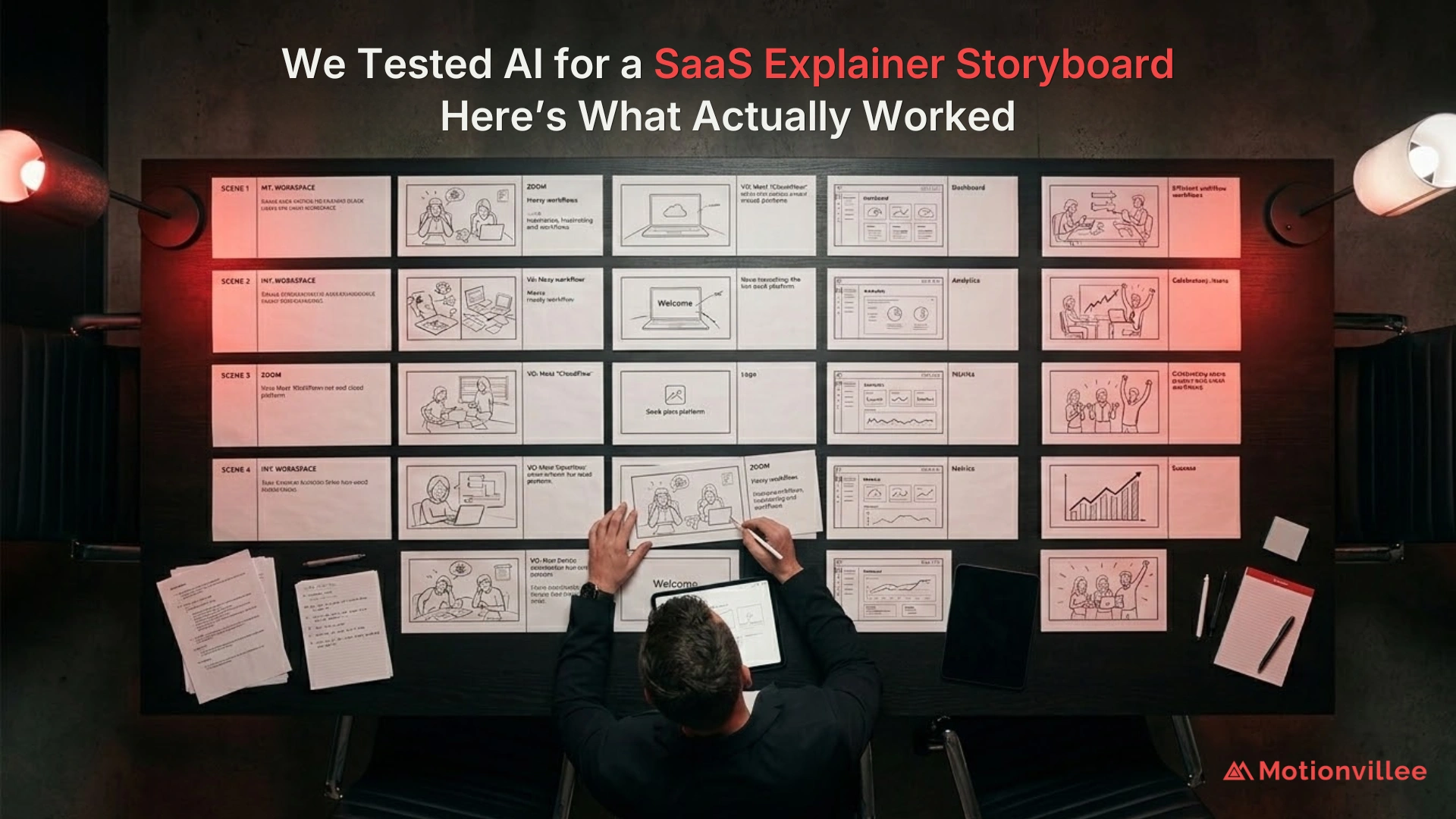
We tested AI to answer one practical question: can it create a SaaS explainer storyboard fast enough to save real planning time, and still make it accurate enough to use on a client project?
That question matters because storyboarding is not just a creative step. It decides whether an explainer video clarifies the product or makes the buyer work harder to understand it.
A SaaS explainer video has to simplify the product, show the buyer problem, explain value, and guide the viewer toward action. If the storyboard is weak, the final video may look polished but still fail to explain the offer clearly.
Wyzowl reports that 96% of people have watched an explainer video to learn more about a product or service [Wyzowl, 2026]. That does not prove every explainer converts. But it does show that buyers use video to understand before they act.
So the test was simple:
Could AI create a useful storyboard example before a tea break ends, without making the output too generic to trust?
For the wider production context, The Complete Guide to Explainer Video Production for SaaS explains how storyboarding fits into the full SaaS explainer process.
What We Wanted AI to Prove?
AI had to prove three things: speed, accuracy, and usable quality.
Speed meant it had to create a first draft quickly enough to reduce planning time.
Accuracy meant it had to understand the SaaS product, buyer problem, business goal, and demo intent.
Usable quality meant it had to create an explainer storyboard that could move into review, not one that needed to be rebuilt from scratch.
This distinction matters because a fast draft is only valuable if it shortens the path to clarity. If a team spends more time fixing the AI output than building the idea themselves, the speed benefit disappears.
What SaaS Explainer Brief We Used for the Test
We used one fictional SaaS product brief to keep the test focused.
The product helped teams manage scattered workflows, track tasks, and improve visibility across departments.
The video goal was simple: explain the problem, show why it matters, introduce the product, connect features to outcomes, and guide the viewer toward a demo.
This gave us a practical SaaS explainer video storyboard example, not a random creative prompt.
We wanted to see whether AI could understand a common B2B SaaS challenge: buyers do not need more feature screens first. They need to understand the business problem and why the product matters.
What We Asked AI to Generate First
We first asked AI to create a complete SaaS explainer storyboard from the brief.
The output had to include scene flow, visual ideas, buyer pain, product moments, on screen text, feature to outcome translation, and CTA direction.
This helped us test whether AI could create a usable video storyboard from one prompt or whether it needed stronger direction.
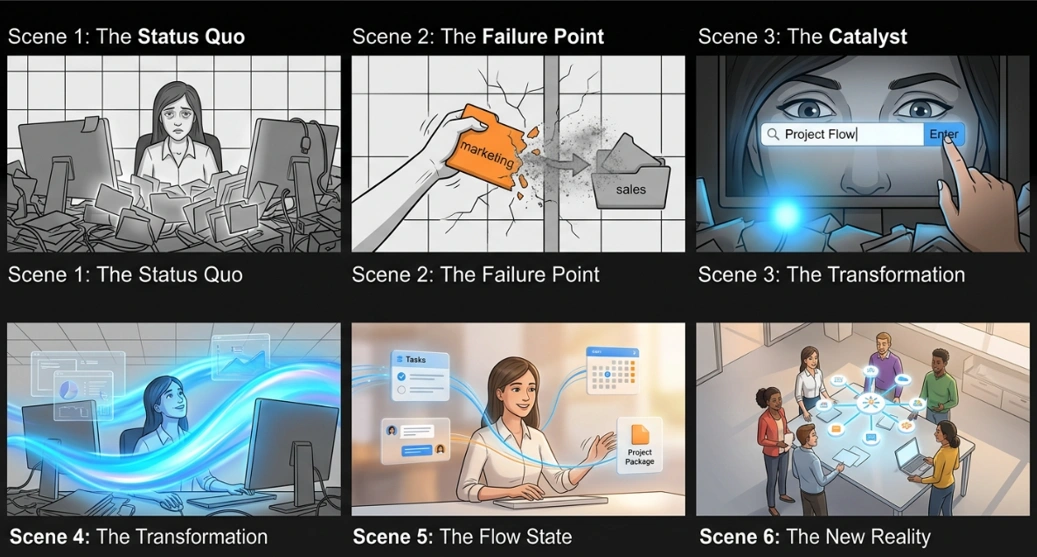
The first output arrived quickly.
That was the easy part.
The harder question was whether the storyboard had enough buyer clarity to support a real explainer video.
What Happened in the First Draft
The first draft came fast, but it felt too generic.
AI produced common SaaS visuals: dashboards, floating icons, team collaboration scenes, abstract workflow graphics, and automation symbols.
Those ideas were not wrong. They were just not specific enough.
The draft looked like a storyboard for SaaS product video planning, but it did not yet explain why this product mattered, what friction the buyer was facing, or what business outcome the viewer should remember.
That is where the test became useful.
AI was fast enough.
But speed did not equal quality.
Where AI Was Actually Useful
AI was useful for building the basic story structure.
It quickly organized the storyboard into a logical flow:
Problem → Friction → Product → Workflow → Outcome → CTA
That reduced blank page time and gave us a working explainer storyboard to review.
This is where AI added real value. It helped start faster. It gave scene options. It created a first structure that a team could improve.
Content Marketing Institute reported that 39% of B2B marketers expected to increase investment in AI for content creation in 2025 [CMI, 2025]. That supports the broader business pattern: teams want faster content development.
But faster content development is not the same as stronger messaging.
Where AI Started to Break
AI started to break when the storyboard needed buyer judgment.
It struggled with product specificity, business context, buyer urgency, emotional pacing, and visual ideas that explained the value clearly.
The draft knew how to show “software.”
It did not yet know how to show why the buyer should care.
A 2025 benchmark on marketing creativity found that large language models performed unevenly across brand constrained creative tasks and that expert human evaluation remains important [Bhat, Browne and Bingemann, 2025]. This does not measure SaaS storyboards directly, but it supports the same practical limitation: AI output still needs human review when brand, audience, and message accuracy matter.
What Changed When We Gave AI a Stronger Brief
AI became more useful when we added constraints.
Instead of asking for a generic SaaS storyboard, we gave it the target audience, buyer pain, product category, video length, funnel stage, CTA, key message, and visuals to avoid.
That changed the output.
The scenes became more focused. The buyer’s pain was clearer. The product introduction felt more natural. The CTA matched the demo goal.
This is one lesson for how to storyboard a SaaS explainer video with AI: do not start with visuals.
Start with the buyer problem and the action you want after the video.
What We Found About Speed vs Quality
AI was fast enough to create a storyboard draft before a tea break ended.
But speed did not make it approval ready.
The useful insight was this: AI can shorten the first draft stage, but it cannot remove the need for strategic review.
For a marketing team, AI is useful for acceleration, not final approval.
Gartner reports that 67% of B2B buyers prefer a rep free experience [Gartner, 2026]. That means your storyboard has to carry more of the explanation before sales gets involved.
If the storyboard is generic, the video may create attention but still fail to prepare buyers for the next step.
What We Found About Accuracy
AI understood the basic SaaS problem, but it did not always understand the business importance behind the problem.
It could show scattered tools.
But it needed better direction to show what scattered tools cost the buyer: missed deadlines, unclear ownership, slow reporting, weak visibility, and delayed decisions.
That is the difference between a generic explainer video storyboard template and a useful B2B explainer video storyboard.
One shows software.
The other shows why the buyer should care.
What We Found About Turning Features Into Outcomes
AI helped translate features into outcomes, but the first version still needed rewriting.
A weak storyboard showed a dashboard.
A stronger storyboard showed a leader seeing all blockers in one view.
A weak storyboard showed an automation icon.
A stronger storyboard showed manual follow ups disappearing.
A weak storyboard showed connected apps.
A stronger storyboard showed data moving cleanly between teams.
This is what should be included in an explainer video storyboard: not only scenes, but the business reason each scene exists.
The best storyboard does not explain features first.
It explains what changes for the buyer.
What the Final Storyboard Structure Looked Like
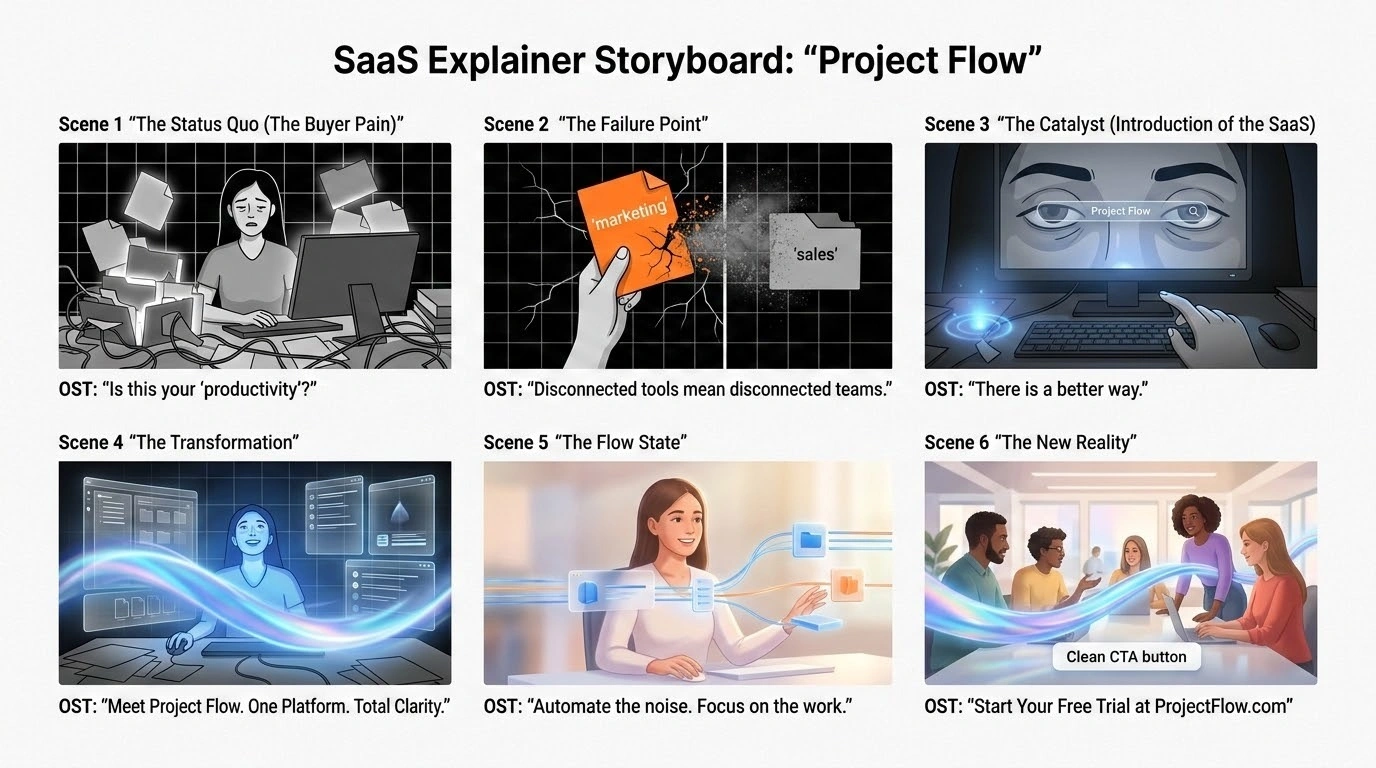
The final storyboard worked when every scene had one clear buyer job.
| Scene | Storyboard Job | What It Shows |
| Scene 1 | Problem hook | Team struggling with scattered workflows |
| Scene 2 | Cost of problem | Missed updates, delayed work, unclear ownership |
| Scene 3 | Product intro | Platform brings work into one clear view |
| Scene 4 | Proof of value | Tasks, alerts, and reports connect in one place |
| Scene 5 | Outcome | Teams move faster with better visibility |
| Scene 6 | CTA | Book a demo or see how it works |
This became the strongest SaaS storyboard example from the test.
It worked because it did not try to explain everything.
It moved the buyer through one clear idea: scattered work creates friction, and the platform gives teams visibility.
That is what a good storyboard example for explainer video planning should do.
Can AI Generate a Storyboard for Every SaaS Explainer Project?
AI can generate a first draft for most SaaS explainer projects, but it should not own the final storyboard.
It works best when the team already knows the buyer, the problem, the message, and the CTA.
It fails when the brief is weak, the product is complex, or the buyer context is missing.
So the answer is not “AI can do storyboarding” or “AI cannot do storyboarding.”
The better answer is: AI can create the first draft, but human review decides whether the storyboard is useful enough for sales, marketing, and buyer clarity.
How SaaS Teams Should Use AI for Storyboarding
SaaS teams should use AI as a starting point, not a replacement for strategy.
A better workflow looks like this:
- Give AI the buyer problem
- Ask for three storyboard angles
- Choose the strongest angle
- Build the scene flow
- Ask for visual ideas
- Rewrite scenes around business outcomes
- Review against buyer intent and CTA
This keeps the speed benefit without losing message quality.
It also helps teams avoid the biggest risk of AI generated storyboards: polished generic output that looks acceptable but does not move the buyer forward.
Checklist: Is the AI Storyboard Good Enough to Use?
Before approving an AI generated storyboard, ask one question first: does it make the product easier to understand?
Then review it against this checklist:
| Review Question | Why It Matters |
| Does the first scene show a real buyer problem? | Creates relevance |
| Does every scene have one clear job? | Protects clarity |
| Are features shown as outcomes? | Makes value easier to understand |
| Does the visual idea explain the message? | Prevents generic scenes |
| Is the CTA connected to buyer intent? | Supports action |
| Would sales understand and use this story? | Tests business value |
This checklist also helps when reviewing an explainer video storyboard sample from an internal team or agency.
What Actually Worked After Testing AI
AI worked when we treated it like a storyboard assistant.
It helped us move faster, test angles, create scene options, and reduce blank page time.
But the final storyboard became useful only after human review added buyer context, message focus, and business logic.
The conclusion is simple:
AI can create a storyboard before your tea gets cold.
But it cannot decide what your buyer needs to understand before they book a demo.
Motionvillee helps SaaS teams turn complex products into clear explainer videos that support buyer understanding, demo intent, and sales conversations. For teams that need a strategic video partner, explore Motionvillee as an Explainer Video Company