
What We Tested During 50 Hours of AI Video Production
AI video testing showed us one uncomfortable truth: AI does not make weak video strategy stronger. It makes weak inputs visible faster.
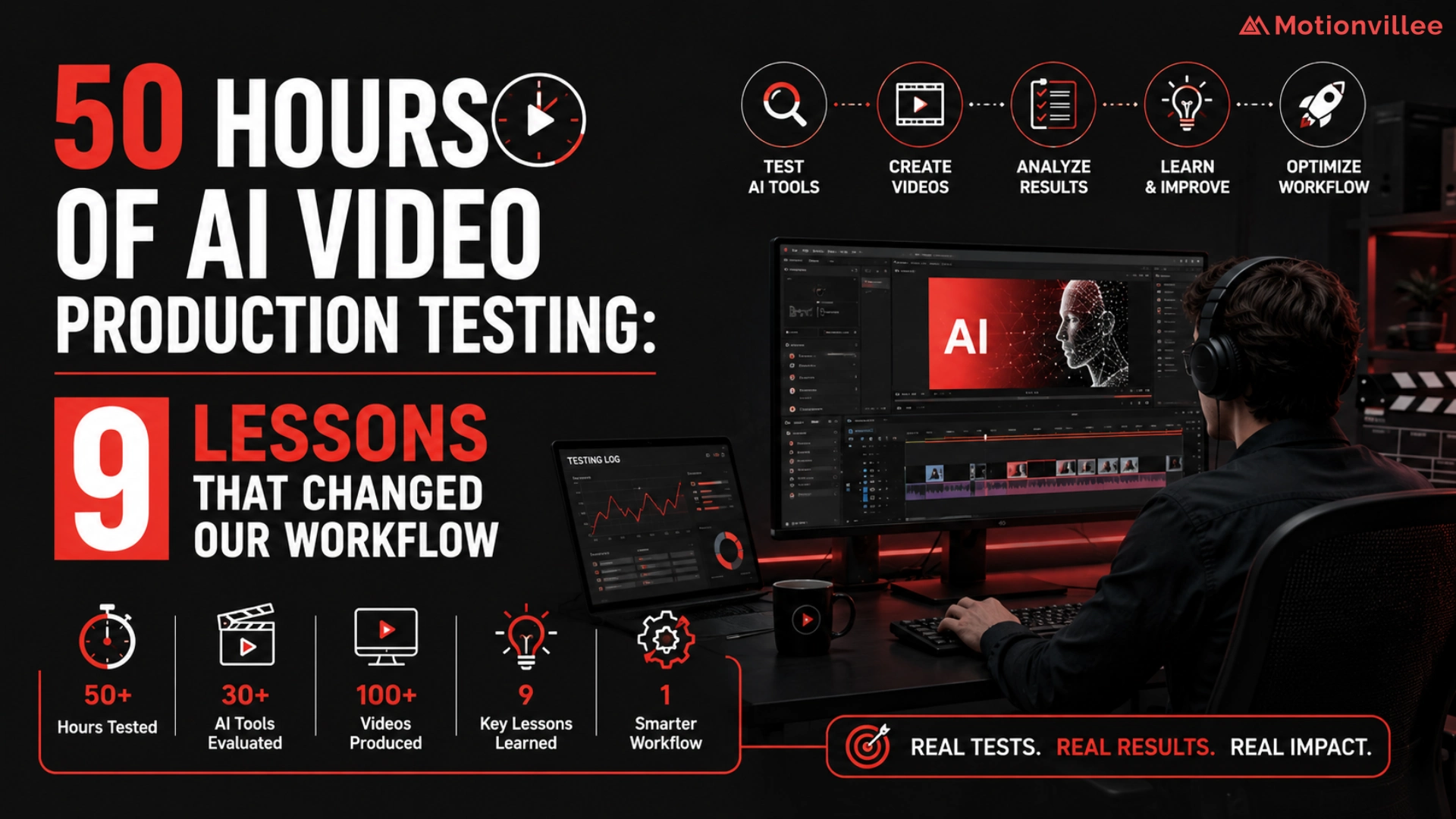
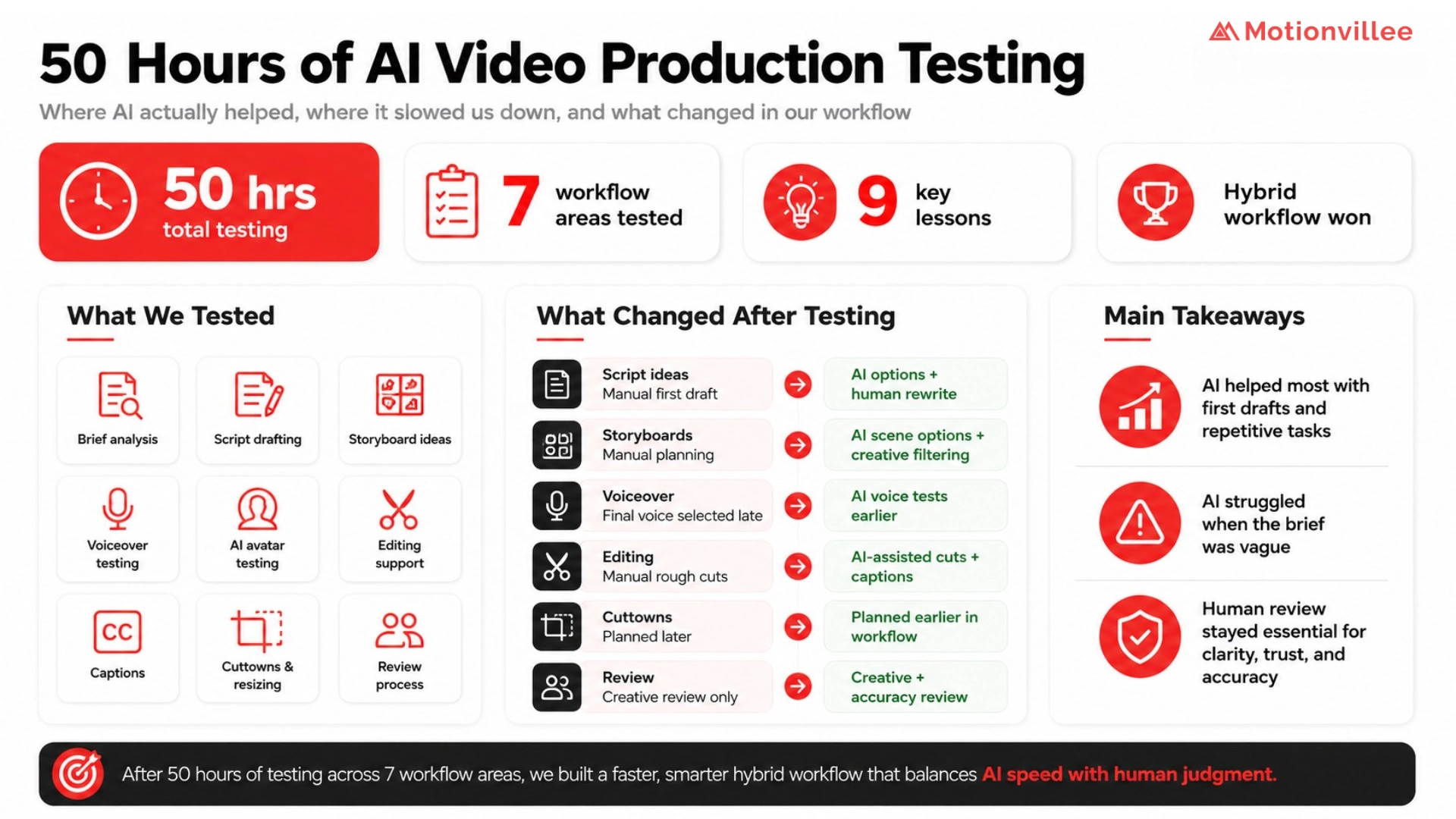
We spent 50 hours testing AI across brief analysis, script drafting, rewriting, storyboard planning, voice testing, avatar testing, captions, editing support, cutdowns, resizing, and version planning [Motionvillee Internal Test, 2026].
This was not a lab benchmark. It was a practical workflow test across real production tasks, so the findings should be treated as field evidence, not universal proof.
The timing matters. Wyzowl reports that 63% of video marketers have used AI tools to create or edit marketing videos, up from 51% the previous year [Wyzowl, 2026]. That shows adoption is rising, but it does not show where AI improves business outcomes. (Wyzowl)
For the wider business context, this test sits inside the larger shift toward AI video production guide
Why We Tested AI Inside the Workflow, Not Outside It
We did not test AI as a separate tool experiment. We tested it inside real workflow stages, then kept only the parts that reduced friction without weakening clarity, accuracy, or trust.
AI video production looks different when tested inside deadlines, briefs, approvals, and buyer context.
A demo can make AI look simple. A real video workflow includes product claims, brand tone, stakeholder feedback, target buyers, format needs, and final approval.
McKinsey’s 2025 State of AI research says organizations are redesigning workflows to capture value from AI, not just adopting tools [McKinsey, 2025]. That matched our testing. AI helped when it improved a specific workflow step. It created more work when the output needed heavy correction. (McKinsey & Company)
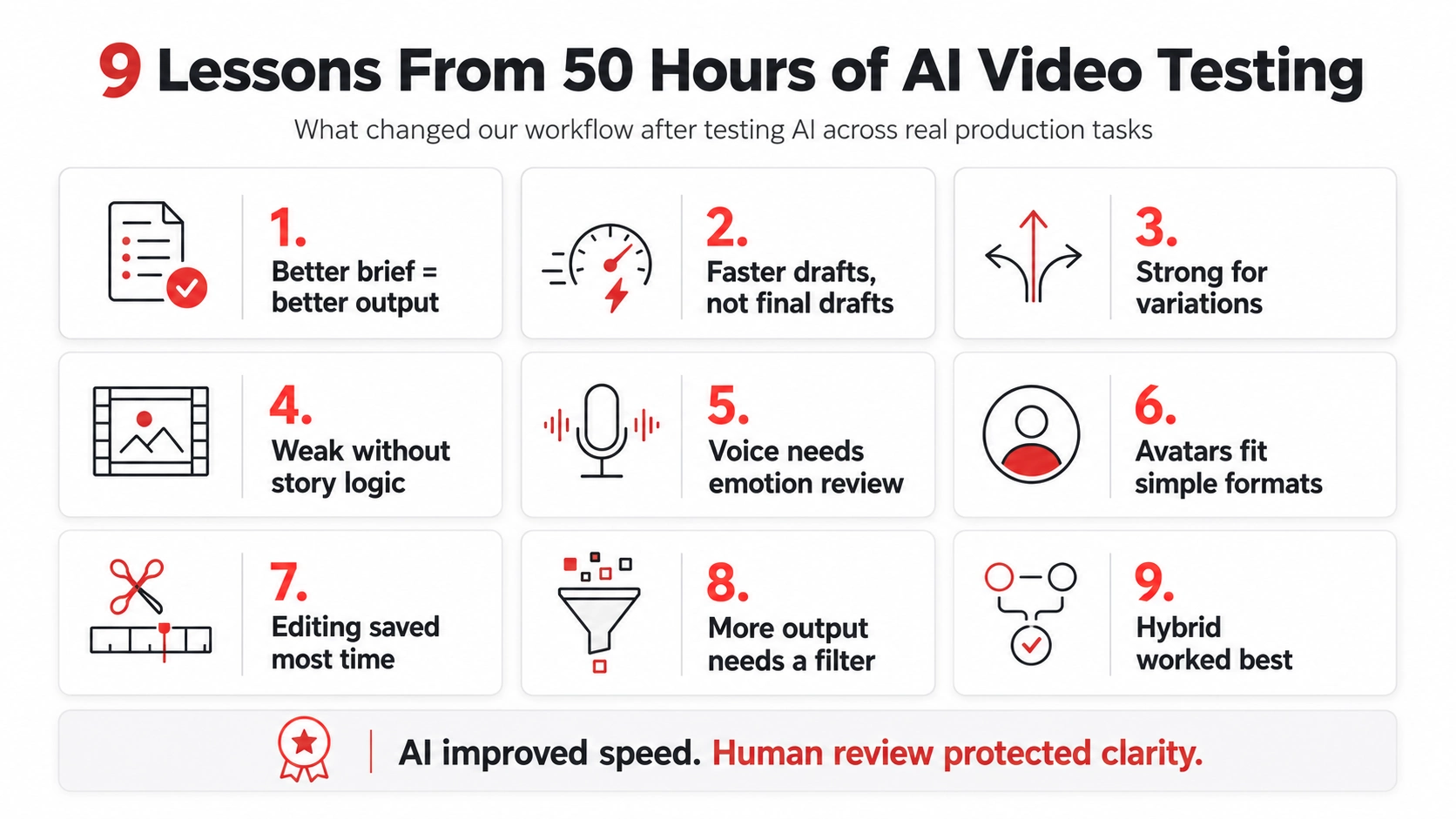
Lesson 1: AI Helped Most When the Brief Was Specific
AI performed better when the brief had audience context, buyer pain, funnel stage, examples, and clear constraints.
A vague brief created generic scripts and predictable ideas. A specific brief created stronger starting points [Motionvillee Internal Test, 2026].
The business lesson is simple: AI cannot guess positioning, product complexity, or buyer resistance.
Key takeaway: AI does not fix a weak brief. It exposes it.
Lesson 2: AI Made First Drafts Faster, Not Final Drafts Perfect
AI helped us move from blank page to first draft faster, but it did not remove review.
It was useful for script options, hook variations, CTA options, short versions, and early storyboard ideas [Motionvillee Internal Test, 2026].
The limitation was quality. Drafts still needed fact checking, message tightening, and business judgment.
Key takeaway: AI is useful for starting faster, not for skipping review.
Lesson 3: AI Was Stronger at Variations Than Original Thinking
AI performed better when expanding a strong idea than creating the strongest idea alone.
It helped create hook variations, caption options, short and long versions, and ad angle options. But it often reused familiar patterns when asked for fresh positioning [Motionvillee Internal Test, 2026].
This is where the benefits of AI video production are most practical: speed and scale work best after the core idea is already strong.
Key takeaway: AI is better at multiplying strong direction than inventing strong strategy.
Lesson 4: AI Improved Storyboard Speed, But Not Always Story Logic
AI generated scene options quickly, but not every scene helped the buyer understand the product.
Some ideas looked useful in text but became too abstract, too broad, or too disconnected from the product logic [Motionvillee Internal Test, 2026].
A 2025 analysis of 274 YouTube how to videos found that generative AI is used across planning, scriptwriting, visual and audio generation, editing, titles, and subtitles [Anderson and Niu, 2025]. The study is useful for understanding creator use cases, but it does not measure B2B sales impact. (arXiv)
Key takeaway: AI can suggest scenes. Human review decides whether they explain the product clearly.
Lesson 5: AI Voiceovers Were Useful, But Emotion Still Needed Control
AI voiceovers helped us test pace, tone, and narration before final approval.
They were useful for timing scripts and comparing delivery options. But some reads felt flat, rushed, or too smooth for trust heavy videos [Motionvillee Internal Test, 2026].
For buyer facing content, emotion is not decoration. It affects confidence, seriousness, and credibility.
Key takeaway: AI voice is useful for testing, but emotional control still matters.
Lesson 6: AI Avatars Worked Better for Simple Formats Than Trust Heavy Videos
AI avatars worked best for clear, repeatable, low risk formats.
They were useful for training videos, internal updates, FAQ clips, product updates, and webinar intros. They were weaker for executive messaging, customer stories, and high value sales assets [Motionvillee Internal Test, 2026].
The limitation is not that avatars are bad. The limitation is use case fit.
Key takeaway: AI avatars need the right context, not blanket adoption.
Lesson 7: AI Editing Saved Time on Repetitive Tasks
AI editing saved the most time on repeat tasks such as captions, rough cuts, resizing, trimming, and repurposing.
This mattered because repetitive edits often block teams from turning long content into usable sales and social assets [Motionvillee Internal Test, 2026].
Deloitte Digital’s 2026 marketing trends report says generative AI is moving toward customer facing use, but marketers need systems where human creativity and machine intelligence work together [Deloitte Digital, 2026]. That is exactly what we saw. AI helped most when the task was repeatable and rules based. (Deloitte)
Key takeaway: AI saved the most time where the work was repetitive.
Lesson 8: AI Created More Output, But Not Always More Useful Output
AI made it easier to create more versions, but more versions did not automatically improve marketing value.
Some outputs were too similar. Some increased review load. Some lacked clear differentiation [Motionvillee Internal Test, 2026].
HubSpot’s 2026 State of Marketing report frames AI, brand point of view, trust, efficiency, and growth as major marketing priorities [HubSpot, 2026]. That supports the main business point: output is only useful when it strengthens the brand point of view. (HubSpot)
Key takeaway: AI can increase production volume, but teams still need a filter.
Lesson 9: The Best Workflow Was Hybrid
The best workflow was not fully AI or fully manual. It was hybrid.
AI helped with speed, drafts, options, edits, and repurposing. Human direction protected strategy, accuracy, buyer clarity, brand trust, and final approval [Motionvillee Internal Test, 2026].
This is also why AI video production vs traditional video production is not a simple winner.
Key takeaway: AI reduces production friction. It does not replace business judgment.
What Changed in Our Workflow After Testing AI
After testing, we used AI where it improved the workflow, not everywhere.
| Workflow Stage | Before Testing | After Testing |
| Brief review | Manual review only | AI assisted summary plus human strategy |
| Script ideas | Manual first draft | AI options plus human rewrite |
| Storyboard | Manual scene planning | AI scene options plus creative filtering |
| Voiceover | Final voice selected later | AI voice tests earlier |
| Editing | Manual repetitive edits | AI assisted rough cuts and captions |
| Cuttedowns | Planned after final video | Planned earlier in the workflow |
| Review | Creative team review | Creative plus accuracy review |
This is the practical answer to how AI changes video production workflow. It changes where time is spent, not who owns the final judgment.
Where We Would Not Use AI Without Human Review
The more trust the video needs to build, the more human review matters.
We would not use AI without review for product claims, technical explanations, customer proof, compliance sensitive content, website hero videos, investor videos, sales videos, brand videos, or real customer stories [Motionvillee Internal Test, 2026].
For these use cases, an experienced partner matters. This is where teams often need help to choose the right AI video production company rather than simply buying another tool.
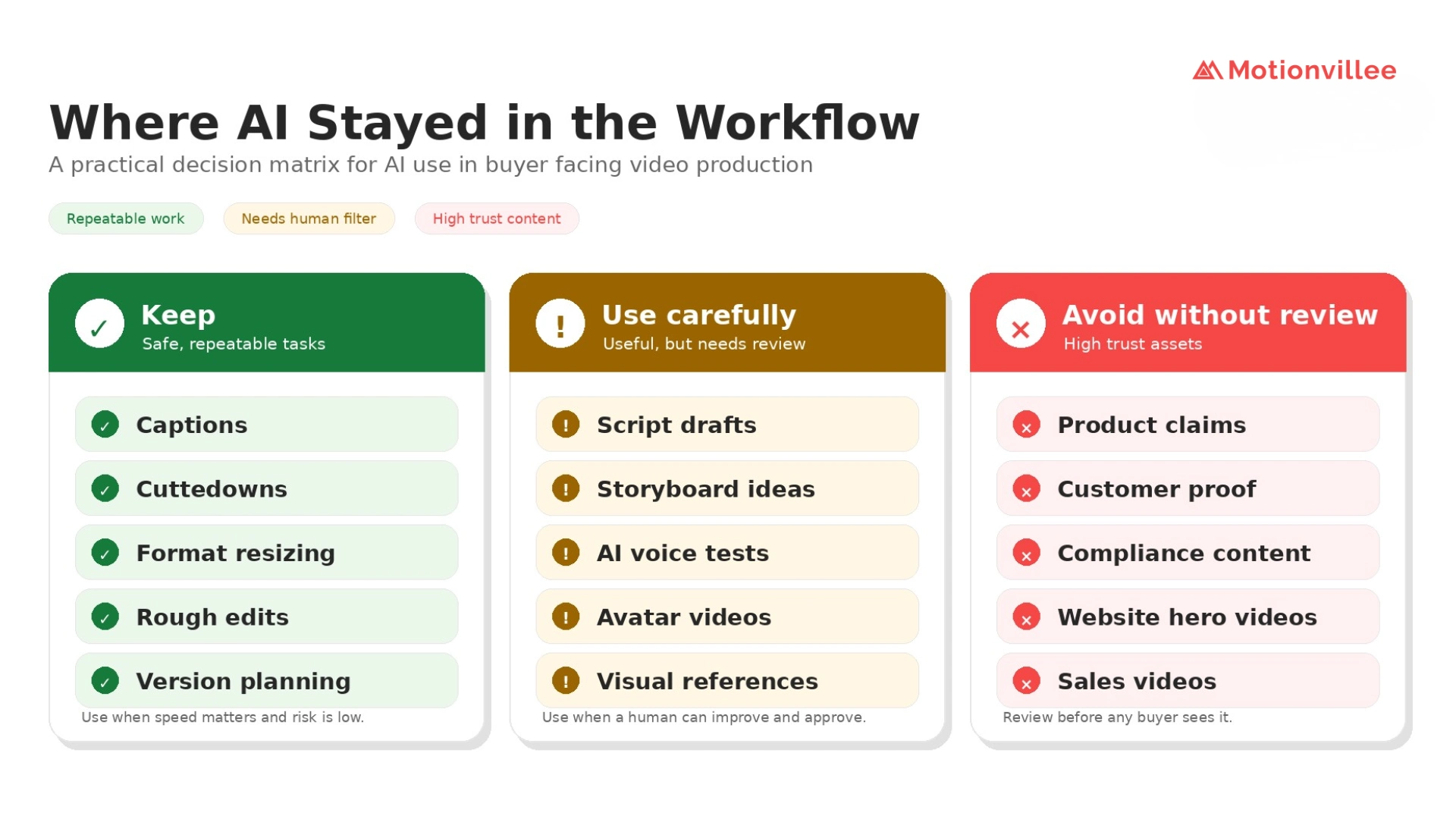 The safest AI use cases were repeatable and low risk. The highest trust assets still needed human review
How Businesses Can Test AI Video Production Without Wasting Time
Businesses should test AI in low risk workflow areas before moving it into high impact buyer facing assets.
Start with script options, hook variations, storyboard ideas, captions, social cutdowns, voice drafts, and format resizing.
Then measure what actually improves the video workflow:
- Did it reduce review time?
- Did it improve version speed?
- Did it protect accuracy?
- Did it reduce repetitive work?
- Did it create usable assets for marketing or sales?
This answers what you can learn from testing AI video tools: the value is not the tool itself, but the workflow improvement it creates.
For practical context, see this AI vs traditional video production example
Final Takeaway: What 50 Hours of Testing Really Changed
After 50 hours of AI video production testing, the biggest change was not replacement. It was workflow discipline.
AI helped us draft faster, test more options, create more versions, and reduce repetitive editing work.
But the strongest outputs still needed human judgment.
So, is AI useful in video production workflow? Yes, when it supports a clear system. No, when it is expected to replace strategy, buyer understanding, or final approval.
The real lesson from AI video production workflow lessons is simple: AI makes good strategy easier to execute at scale. It does not create the strategy for you.
For Motionvillee, the future is not AI led video output. It is business led video systems where AI improves speed, and human judgment protects the message that moves buyers closer to action.