
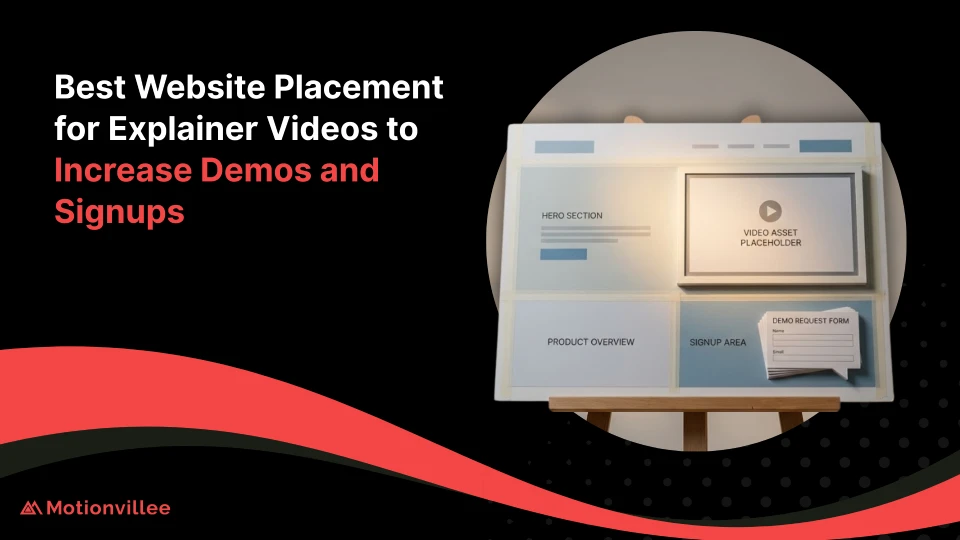
Best Website Placement for Explainer Videos to Increase Demos and Signups
The best website placement for explainer videos increases conversion rates by 35-80% through strategic positioning on homepage hero sections, product pages, landing pages, pricing sections, and exit intent overlays, with placement location impacting viewer engagement and conversion more than video quality itself.
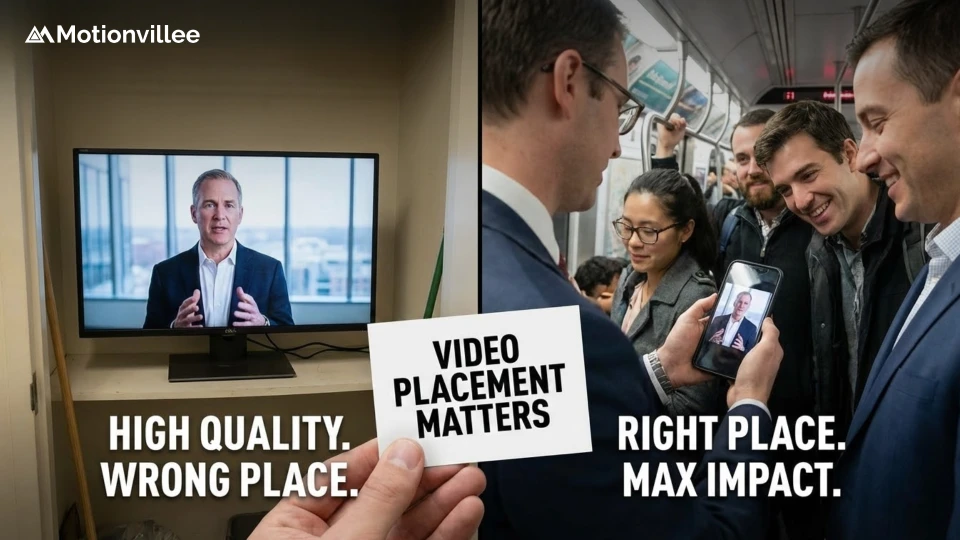
Why Video Placement Matters as Much as Video Quality
Video placement determines whether prospects see and engage with explainer videos, with strategic positioning increasing view rates by 200-400% and conversions by 35-80% compared to poor placement, making location decisions as critical as creative quality for business outcomes.
Video placement affects three critical metrics:
- View rate: Percentage of page visitors starting video playback
- Completion rate: Proportion of viewers watching full video duration
- Conversion rate: Visitors taking desired action after viewing
Placement impact on performance:
- Homepage hero placement: 40-65% view rate, 18-30% conversion lift
- Product page above-fold: 35-55% view rate, 25-45% conversion lift
- Landing page primary position: 50-70% view rate, 35-60% conversion lift
- Pricing page strategic placement: 30-50% view rate, 40-80% conversion lift
- Exit intent overlay: 15-25% trigger rate, 20-35% conversion rescue
Understanding what explainer videos are and how they work helps teams recognize placement strategy as critical distribution component determining whether quality video content achieves business objectives.
The Homepage Hero Section: Your Highest-Traffic Real Estate
Homepage hero sections receive 70-85% of total homepage visitor attention, making this prime real estate for explainer videos that communicate value propositions immediately to cold traffic requiring quick comprehension before abandonment.
Above the Fold vs Below the Fold Performance Data
Above-the-fold video placement generates 300-450% higher view rates than below-the-fold positioning, with visitors spending 80% of attention above scroll line, requiring immediate video visibility without scrolling for maximum engagement.
| Placement Position | Average View Rate | Completion Rate | Conversion Impact |
|---|---|---|---|
| Hero section (above fold) | 45-65% | 55-70% | +25-40% |
| Just below fold (1 scroll) | 20-35% | 60-75% | +15-25% |
| Mid-page (2+ scrolls) | 10-20% | 65-80% | +8-15% |
| Bottom of page | 5-12% | 70-85% | +5-10% |
Paradoxically, below-fold videos show higher completion rates because self-selected viewers demonstrate stronger interest, but dramatically lower view rates reduce overall conversion impact.
Autoplay Considerations and User Experience Balance
The Autoplay videos increase view rates by 200-350% but risk negative user experience when poorly implemented, requiring muted autoplay with prominent unmute controls and pause options balancing engagement with user control preferences.
Autoplay best practices:
- Mute by default with clear unmute button overlay
- Prominent pause control visible immediately
- Captions essential for sound-off comprehension
- Loop disabled preventing annoying repetition
- Mobile autoplay requiring user interaction compliance
Test autoplay vs click-to-play systematically measuring both view rates and bounce rates. High bounce rate increases indicate autoplay frustration outweighing engagement benefits.
Mobile Optimization for Hero Section Videos
The Mobile devices generate 60-75% of website traffic, requiring vertical or square video formats, large play buttons, and optimized file sizes preventing slow loading that increases bounce rates before video viewing opportunity.
Mobile video optimization requirements:
- Square (1:1) or vertical (9:16) formats for mobile screens
- File size under 5MB enabling fast loading on cellular networks
- Large play button minimum 60×60 pixels for touch accuracy
- Captions mandatory for public browsing without sound
- Responsive player scaling to screen size automatically
Product and Service Pages: Converting Education Into Action
Product and service pages receive highly qualified traffic actively evaluating solutions, making these pages ideal for detailed explainer videos that convert consideration-stage prospects into demo requests through thorough education addressing specific objections.
Feature-Specific Video Placement That Reduces Confusion
The Feature section videos embedded directly above or beside specific capability descriptions reduce confusion by 45-65% while increasing feature adoption rates post-purchase, with visual demonstration overcoming text limitations for complex functionality.
Feature video placement strategy:
- 15-30 second clips focusing on single feature exclusively
- Placement immediately above detailed text description
- Thumbnail showing feature in action encouraging clicks
- Multiple feature videos throughout page maintaining engagement
- Playlist organization allowing sequential feature exploration
Integrating Videos Within Product Comparison Sections
Comparison section videos positioned between competitor alternatives and your solution increase conversion by 30-55% through visual differentiation that text comparisons cannot achieve, with side-by-side demonstrations revealing capability gaps immediately.
Comparison video tactics:
- Split-screen format showing direct capability comparison
- Placement following comparison table reinforcing advantages
- 60-90 second duration covering key differentiators
- Objective tone avoiding obvious competitor bashing
Technical Specification Pages That Need Visual Clarification
Technical specification pages listing features, integrations, and capabilities benefit from overview videos placed at page top providing context before detailed specifications, with visual roadmap reducing overwhelm from extensive technical lists.
Understanding how to effectively promote and distribute explainer videos helps teams recognize product pages as critical distribution touchpoints requiring dedicated video optimization beyond homepage placement.
Landing Page Video Strategy for Campaign-Specific Conversions
Landing page videos increase conversion rates by 35-60% when aligned with traffic source messaging, with placement as primary content element rather than supporting material generating superior results for campaign-specific pages receiving paid or targeted traffic.
Placement Testing Results From High-Converting Landing Pages
High-converting landing pages position video as first content element immediately below headline, occupying 50-70% of above-fold space, with supporting text appearing below video rather than competing for attention above player.
| Video Position | Average Conversion Rate | Video View Rate | Best Traffic Source |
|---|---|---|---|
| Primary (hero position) | 12-18% | 55-70% | Paid ads, email |
| Secondary (below headline + text) | 8-13% | 35-50% | Organic, referral |
| Supporting (mid-page) | 6-10% | 20-35% | Low-intent traffic |
| Tertiary (near form) | 5-9% | 15-25% | Warmed traffic |
Video as the Primary Content vs Supporting Element
The Video-first landing pages treating video as primary content with minimal supporting text outperform text-heavy pages with supporting videos by 25-45% for traffic sources like paid ads where visitors expect immediate visual information matching ad creative.
Video-first page structure:
- Headline stating primary benefit (5-10 words)
- Video player occupying 60-70% of above-fold space
- Brief bullet points (3-5) reinforcing video messages
- Clear CTA button prominently placed
- Extended details below fold for interested visitors
Form Proximity and Visual Hierarchy Optimization
Video placement 200-400 pixels from conversion forms increases form completion by 30-50% compared to separated placement, with visual proximity creating psychological connection between video education and form submission action.
Form proximity guidelines:
- Video and form visible simultaneously without scrolling
- Video above or left of form following natural reading flow
- Form CTA button using contrasting color drawing attention
- White space separation preventing cluttered appearance
Pricing Page Video Integration That Overcomes Objections
Pricing page videos positioned above pricing tables or within package descriptions increase conversion rates by 40-80% through objection handling, ROI justification, and value demonstration that pure pricing information cannot provide.
Addressing Cost Concerns Through Strategic Video Placement
Pre-pricing video placement appearing before price reveal prepares visitors mentally for pricing through value establishment and ROI demonstration, reducing price shock abandonment by 35-60% compared to immediate price display.
Pricing page video placement options:
- Above pricing table: ROI and value justification before price reveal
- Within each package: Package-specific benefit demonstration
- Below pricing table: Objection handling for hesitant prospects
- Popup on exit intent: Price concern addressing for abandoning visitors
ROI Calculator Integration With Explanatory Video
ROI calculator sections benefit from 30-60 second explanatory videos positioned directly above calculator inputs demonstrating proper usage while establishing value framework guiding prospect calculations toward favorable outcomes.
Calculator video content:
- Step-by-step calculator usage demonstration
- Framework for estimating current costs accurately
- Conservative vs aggressive assumption guidance
- Result interpretation and next steps direction
Package Comparison Videos That Guide Decision-Making
Package comparison videos embedded within pricing tiers increase higher-tier selection by 25-45% through clear differentiation and upgrade justification that text-based feature lists fail to communicate effectively.
Understanding how to promote explainer videos through LinkedIn and ways to repurpose explainer videos for social platforms helps teams maximize video investment across channels beyond website placement.
Blog and Content Hub Video Embedding Tactics
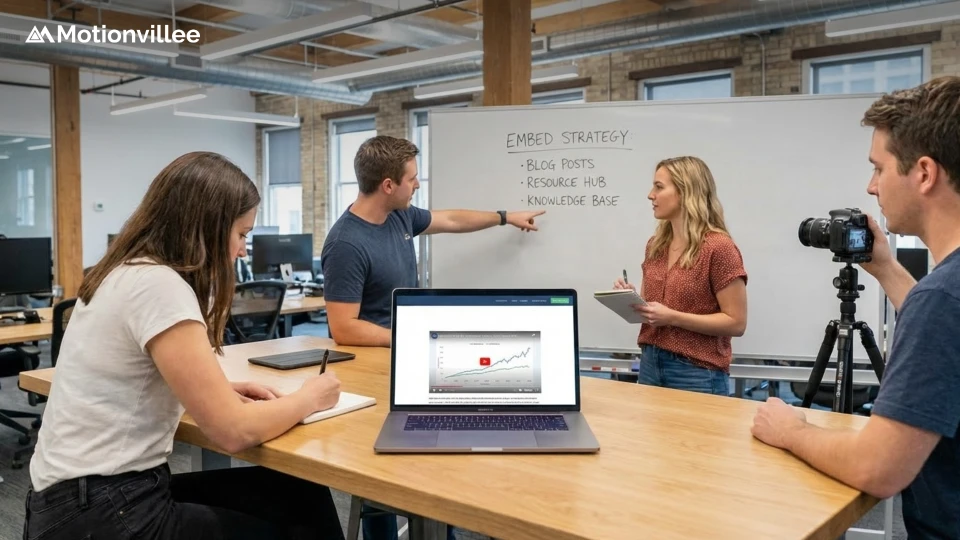
Blog article video embedding converts educational traffic into qualified leads through strategic placement within high-performing content, with contextual video positioning generating 15-35% conversion rates from otherwise purely informational traffic.
Educational Content That Drives Bottom-Funnel Actions
Bottom-funnel blog content addressing solution evaluation or implementation topics benefits from product demo videos placed mid-article after problem discussion but before solution presentation, capturing readers demonstrating purchase-stage interest.
Blog video placement strategy:
- Problem-focused content: Video after problem articulation
- Solution comparison content: Video within your solution section
- How-to guides: Product demo video showing easier approach
- Case studies: Client testimonial video reinforcing results
Contextual Video Placement Within Written Content
In-content video placement appearing naturally within article flow increases view rates by 80-150% compared to end-of-article positioning, with contextual relevance driving engagement from readers already demonstrating topic interest through scrolling.
Contextual placement tactics:
- Video embedded after 40-60% of article content
- Introduction paragraph explaining video relevance
- Video complementing rather than duplicating surrounding text
- Continuation text following video maintaining article flow
Sidebar and End-of-Article Conversion Video Strategy
The Sidebar persistent video players maintaining visibility throughout article scrolling capture 15-25% of engaged readers who wouldn’t click mid-article CTAs, with end-of-article video placement converting 8-15% of readers completing full articles.
Sidebar video optimization:
- Sticky positioning keeping video visible during scrolling
- Compact size not obscuring main content
- Muted autoplay for background viewing option
- Clear close button respecting user preference
Demo Request and Contact Page Pre-Form Video
Demo request and contact pages represent highest-intent traffic, with pre-form videos increasing submission rates by 20-40% and demo show rates by 25-50% through expectation setting, qualification, and excitement building before scheduling commitment.
Qualification Videos That Attract Better-Fit Prospects
Pre-form qualification videos describing ideal customer profiles, common use cases, and implementation requirements filter unqualified prospects while attracting better-fit leads, improving sales efficiency despite reducing total form submission volume.
Qualification video content:
- Ideal customer profile characteristics and company size
- Common use cases demonstrating solution fit
- Implementation timeline and resource requirements
- Pricing bracket indication preventing surprise disqualification
Expectation-Setting Content That Improves Show Rates
The Expectation-setting videos explaining demo format, duration, and preparation requirements improve demo show rates by 25-50% while reducing rescheduling requests through clear communication about time investment and meeting format.
Expectation-setting elements:
- Demo duration and format explanation
- Suggested attendees from prospect organization
- Preparation recommendations maximizing value
- Next steps overview after demo completion
Video Length and Messaging for High-Intent Pages
High-intent page videos should run 45-90 seconds providing comprehensive information to serious prospects without time pressure, with longer duration acceptable because page visitors already demonstrate conversion intent through navigation behavior.
Understanding how explainer videos boost email open rates helps teams recognize video’s cross-channel impact beyond website placement alone.
Exit Intent and Scroll-Triggered Video Overlays
Exit intent video overlays appearing when visitors attempt page abandonment rescue 10-25% of otherwise lost traffic, with non-intrusive implementation and compelling messaging converting abandoning visitors into engaged prospects.
Non-Intrusive Popup Video Strategies That Convert
Non-intrusive exit intent videos appearing in bottom corner or slide-in panels rather than full-screen overlays reduce annoyance while maintaining 12-20% engagement rates, balancing conversion opportunity with user experience preservation.
Exit intent video best practices:
- Corner or slide-in placement avoiding full-screen intrusion
- Clear close button enabling immediate dismissal
- Compelling headline addressing abandonment reason
- Short 15-30 second video respecting departure intent
- Single appearance per visitor preventing repeated annoyance
Timing and Trigger Optimization for Maximum Impact
Exit intent trigger timing affects conversion and annoyance balance, with triggers activating after 30+ seconds on page or 40%+ scroll depth capturing genuine interest while avoiding premature interruption of engaged visitors.
Trigger optimization rules:
- Minimum 30-second page time before trigger eligibility
- 40% scroll depth indicating genuine engagement
- Exit velocity detecting rapid cursor movement toward close
- Mobile scroll-up detection replacing mouse-exit trigger
- Frequency capping: One appearance per 7-14 days maximum
Mobile vs Desktop Exit Intent Video Approaches
Mobile exit intent requires different triggers than desktop because cursor tracking unavailability necessitates scroll-based or inactivity triggers, with mobile overlay size constraints demanding shorter videos and simplified messaging.
| Device Type | Exit Trigger | Video Length | Placement Format |
|---|---|---|---|
| Desktop | Cursor exit intent | 20-30 seconds | Corner popup or lightbox |
| Mobile | Scroll-up or 60sec inactivity | 15-20 seconds | Bottom banner or slide-up |
| Tablet | Hybrid triggers | 20-25 seconds | Adaptive to orientation |
Navigation and Sticky Element Video Access
Persistent video access through navigation elements and sticky buttons maintains video availability throughout site browsing, enabling video viewing at moment of highest interest regardless of initial page entry point.
Persistent Video Buttons in Headers and Sidebars
Header navigation video buttons using “Watch Demo” or “See How It Works” labels generate 5-12% click rates from interested visitors across all pages, providing consistent video access without intrusive autoplay or overlay tactics.
Persistent button optimization:
- Contrasting color distinguishing from standard navigation
- Action-oriented label describing video content
- Icon accompaniment improving visual recognition
- Lightbox or modal player preventing navigation disruption
- Mobile-friendly button size minimum 44×44 pixels
Floating Video Players That Follow User Scrolling
The Floating video players minimizing to page corner during scrolling maintain video access for multitasking visitors, increasing completion rates by 40-70% compared to static players disappearing above scroll line.
Floating player implementation:
- Automatic minimize to corner when scrolling past player
- Expand button returning video to full size
- Close button enabling complete dismissal
- Desktop-only implementation avoiding mobile obstruction
Quick-Access Video Libraries in Navigation Menus
Navigation menu video libraries organizing multiple videos by topic enable self-directed prospect education, with categorized access supporting various buyer journey stages without single-video limitation.
Understanding how to promote animated explainer videos and tips for distributing explainer videos helps teams build comprehensive distribution strategies beyond website placement alone.
Technical Implementation Best Practices for Performance
Technical implementation affects both video engagement and overall page performance, with optimized hosting, lazy loading, and analytics integration ensuring video placement improves conversions without sacrificing page speed or measurement accuracy.
Video Player Options That Don’t Slow Page Load Speed
Third-party video hosting through platforms like Wistia, Vimeo, or YouTube prevents video file size from impacting page load speed while providing professional players with analytics, customization, and reliable streaming infrastructure.
Video hosting platform comparison:
- Wistia: Best analytics and lead generation tools, $24-$300/month
- Vimeo: Professional branding and privacy controls, $7-$75/month
- YouTube: Free hosting with excellent delivery, limited customization
- Self-hosting: Complete control, requires CDN and bandwidth management
Lazy Loading and Progressive Enhancement Strategies
The Lazy loading delays video player loading until visitor scrolls near video position, reducing initial page load time by 30-60% for video-heavy pages while maintaining immediate availability for above-fold videos requiring instant playback.
Lazy loading implementation:
- Above-fold videos load immediately for instant availability
- Below-fold videos lazy load when approaching viewport
- Thumbnail placeholder maintaining layout before load
- Progressive enhancement ensuring functionality without JavaScript
Analytics Integration for Placement Performance Tracking
Video analytics integration tracking view rates, completion percentages, and conversion correlation enables data-driven placement optimization, with platform-specific tracking revealing which positions generate highest ROI.
Essential video metrics by placement:
- View rate: Percentage of page visitors starting video
- Completion rate: Proportion watching 75%+ of duration
- Engagement time: Average seconds watched per viewer
- Conversion correlation: Form submissions from video viewers vs non-viewers
- Revenue attribution: Closed deals touching video content
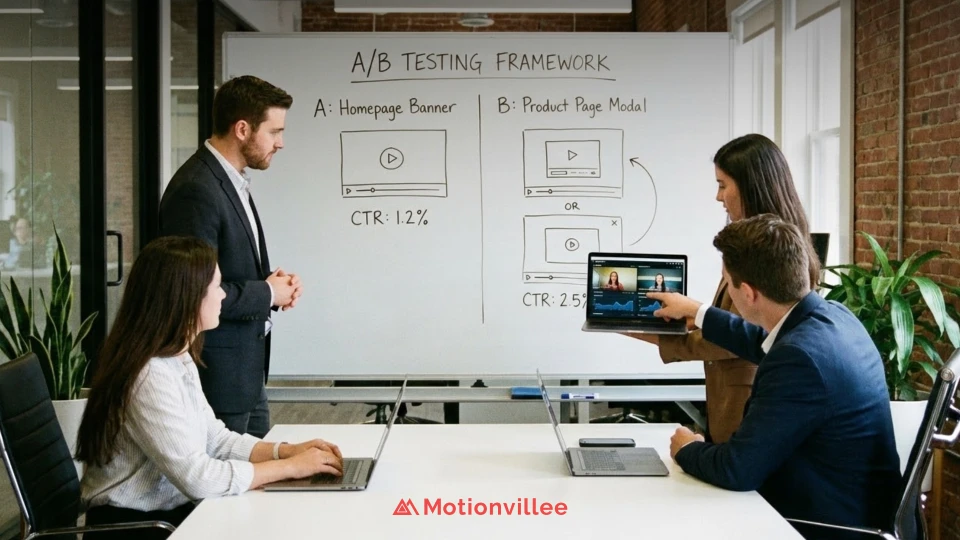
A/B Testing Framework for Video Placement Optimization
Systematic A/B testing reveals optimal video placement for specific traffic sources, page types, and audience segments, with structured testing methodology preventing premature conclusions from insufficient data while enabling continuous improvement.
Single Variable Testing Methodology for Valid Results
Valid placement testing requires changing only video position while holding all other variables constant, with minimum 1,000 visitors per variation and 95% statistical confidence before declaring winning placement.
Placement testing variables:
- Test 1: Above fold vs below fold homepage placement
- Test 2: Autoplay vs click-to-play on landing pages
- Test 3: Pre-form vs post-form video on demo pages
- Test 4: Sidebar vs in-content placement on blog articles
- Test 5: Exit intent vs scroll trigger overlay timing
Heatmap Analysis That Reveals Placement Opportunities
The Heatmap tools like Hotjar reveal actual visitor attention patterns and scroll behavior, identifying underutilized high-attention zones where strategic video placement could capture engagement currently going unused.
Heatmap insights for placement:
- Click concentration areas ideal for video player positioning
- Scroll depth data revealing how far visitors engage
- Attention maps showing where eyes focus naturally
- Rage click detection indicating confusion requiring video clarification
Conversion Rate Lift Expectations by Placement Location
Realistic conversion lift expectations prevent disappointment while justifying testing investment, with homepage placement typically generating 15-30% lift, landing pages 25-45% lift, and pricing pages 35-65% lift.
Understanding YouTube distribution strategy and how to use explainer videos in paid ads helps teams build comprehensive strategies beyond website placement.
Strategic Placement That Turns Views Into Revenue
The best website placement for explainer videos transforms passive viewing into active conversions through strategic positioning on high-traffic pages, contextual integration within content, and performance-optimized technical implementation measuring placement effectiveness.
Critical placement principles:
- Homepage hero sections capture maximum attention from cold traffic
- Product pages convert education into action through feature-specific videos
- Landing pages require video-first approaches for campaign traffic
- Pricing pages overcome objections through strategic pre-price placement
- Exit intent overlays rescue abandoning visitors without intrusive disruption
Homepage placement generates highest view rates but pricing page videos create superior conversion lifts, requiring strategic decisions balancing traffic volume against visitor intent and conversion readiness.
Mobile optimization demands vertical formats, large touch targets, and fast loading preventing bounce rate increases that negate video engagement benefits, with 60-75% traffic share requiring mobile-first design thinking.
Technical implementation through third-party hosting, lazy loading, and analytics integration ensures video improves conversions without degrading page performance, with data-driven optimization enabling continuous placement refinement.
A/B testing framework with single-variable methodology and statistical rigor prevents costly placement mistakes while revealing audience-specific preferences that generic best practices cannot predict.
Working with experienced video production services and professional explainer video production teams ensures videos meet both creative quality standards and technical website implementation requirements.
Schedule a strategy call with Motionvillee to develop video placement strategies optimizing homepage, product pages, landing pages, and conversion touchpoints for maximum demo generation and signup conversion supporting predictable revenue growth.