
The uncomfortable truth about AI video tools
Most AI video tools do not fail because they lack features. They fail because they create more output than your team can confidently use.
That matters because business video is not judged by how quickly it gets made. It is judged by whether it improves buyer understanding, supports sales, strengthens brand trust, or helps marketing create more useful campaign assets.
Wyzowl reports that 63% of video marketers have used AI tools to create or edit marketing videos, up from 51% the previous year [Wyzowl, 2026]. That shows adoption is moving fast, but it does not show whether every tool improves business outcomes. (Wyzowl)
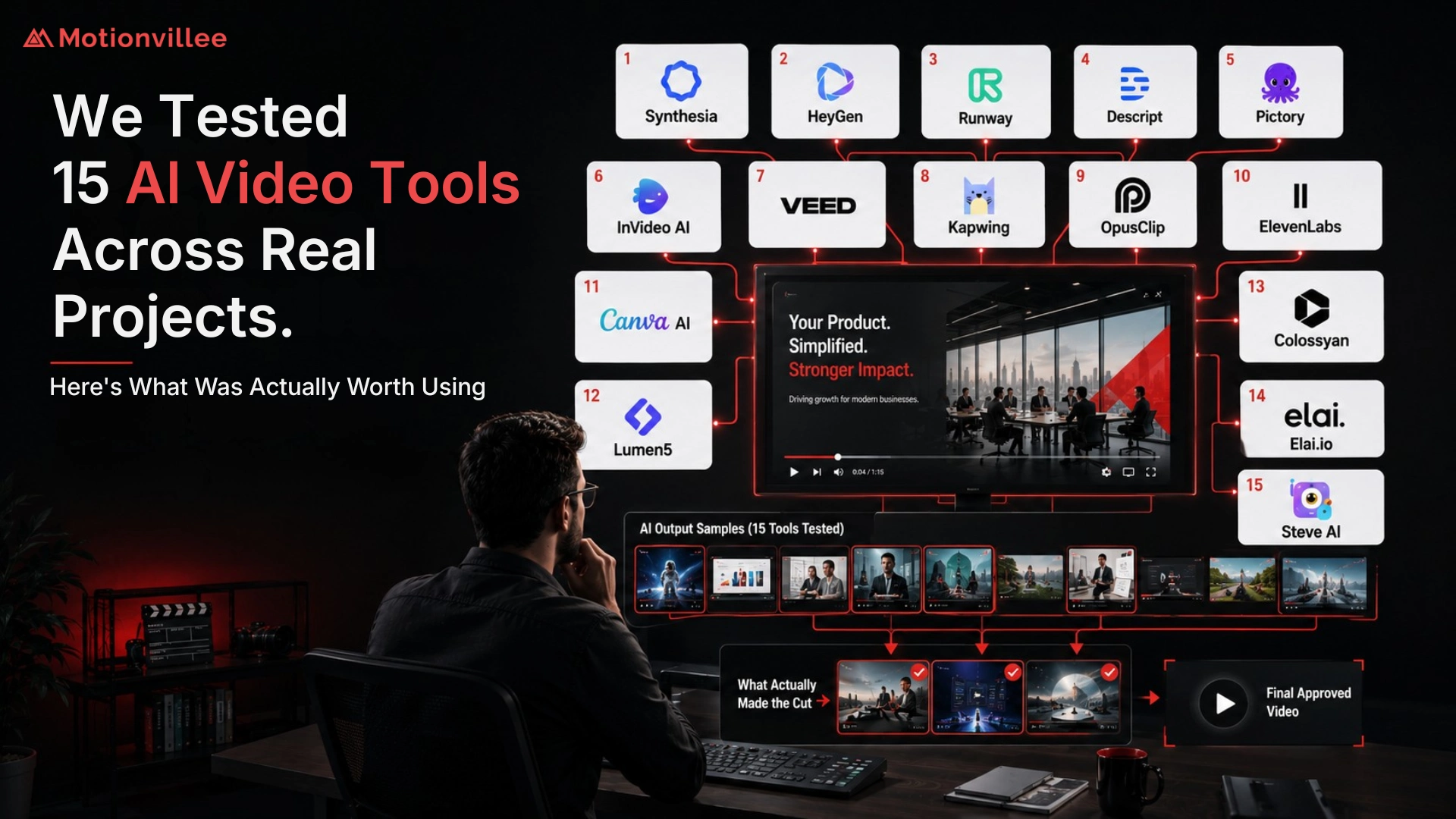
That is why we tested 15 tools across real project tasks. Not to find the flashiest platform, but to understand which tools saved useful time without weakening clarity, accuracy, or final asset quality.
For the broader strategy behind AI video production guide , this test showed one thing clearly: tools only matter when they solve a real business workflow problem.
What 15 AI video tools we tested and why
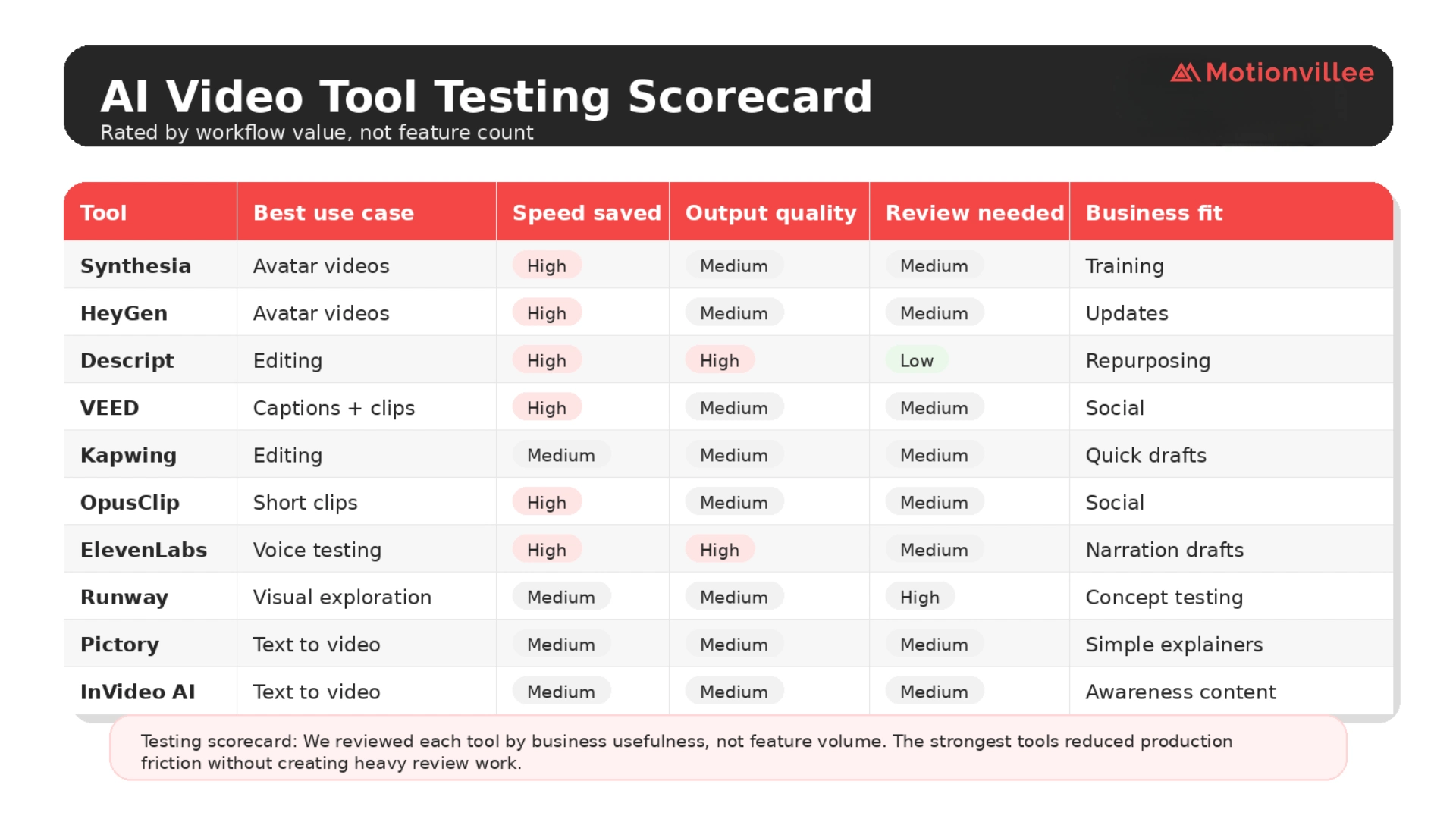
We tested 15 AI video tools because most tool lists do not show how platforms perform inside real production work.
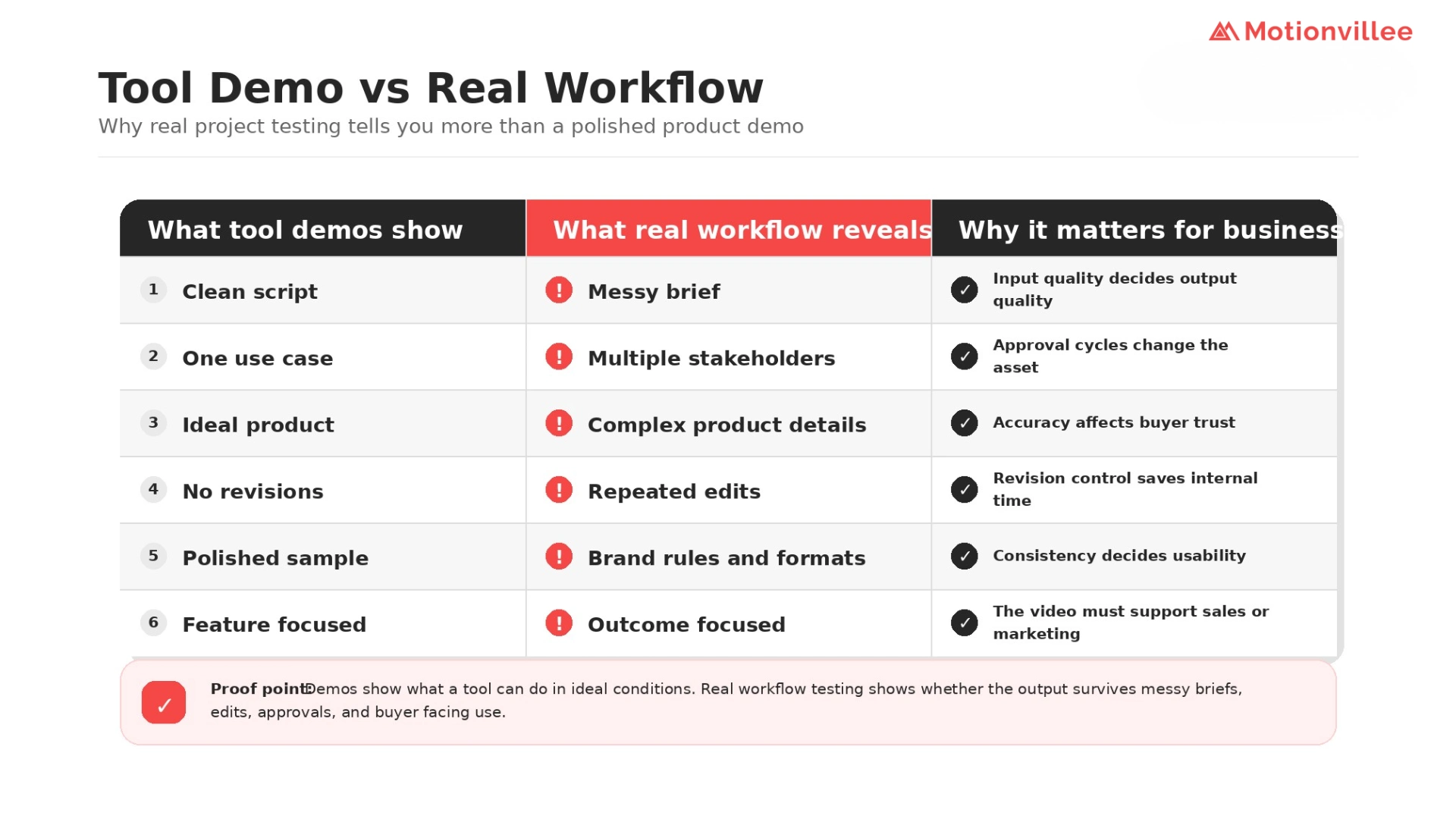
A tool demo usually shows a clean prompt, a simple script, and a polished output. Real projects are different. They include unclear briefs, product details, stakeholder feedback, brand rules, revision requests, and channel formats.
The tools we tested included Synthesia, HeyGen, Runway, Descript, Pictory, InVideo AI, VEED, Kapwing, OpusClip, ElevenLabs, Canva AI, Lumen5, Colossyan, Elai.io, and Steve AI.
We chose this mix because it covers avatar videos, editing, repurposing, voiceover, visual exploration, text to video, captions, and simple business video creation.
Limitation: This was a practical workflow review, not a lab benchmark. We did not score tools on every technical feature. We looked at whether the output could support real marketing, sales, training, or customer education work.
How we tested the tools
We tested the tools against business usefulness, not feature volume.
The main question was simple: would a marketing or sales team actually use this output without heavy cleanup?
We reviewed each tool against:
- Speed saved
- Clarity of output
- Brand fit
- Revision effort
- Caption and export quality
- Usefulness for marketing and sales
- Fit for SaaS, tech, and service based content
- Ability to support real campaign assets
McKinsey’s 2025 State of AI research notes that organizations are redesigning workflows and governance to capture value from AI, not simply adopting tools [McKinsey, 2025]. That pattern matched our test. The useful tools were the ones that improved the workflow, not just the ones with the most features. (McKinsey & Company)
What we found first: demos looked better than real workflow use
The first finding was that many AI video software demos looked stronger than the same tools felt inside a real business workflow.
This is not surprising. Demo environments usually control the input. Business projects rarely work that way.
Real briefs include vague product language, long stakeholder comments, brand limits, sales objections, and multiple formats. In that environment, the tool’s value depends less on the demo output and more on how quickly the team can turn that output into something useful.
Our inference from testing: AI video software for businesses should be judged by net time saved, not first draft speed. A fast draft that takes two hours to fix is not faster.
Which tools were actually worth using?
The most useful tools were the ones that removed one clear bottleneck.
| Production need | Tools that helped most | Business value |
| Rough editing | Descript, VEED, Kapwing | Faster review drafts and captions |
| Short clips | OpusClip, VEED | Faster repurposing from long content |
| AI avatars | Synthesia, HeyGen, Colossyan, Elai.io | Useful for repeat updates and training |
| Voice testing | ElevenLabs | Faster narration timing and tone review |
| Visual exploration | Runway, Canva AI | Faster early concept options |
| Text to video | Pictory, InVideo AI, Lumen5, Steve AI | Useful for simple awareness content
|
The clear pattern was this: the best AI video tools for business were not the tools that promised complete production. They were the tools that reduced repeat work without creating quality risk.
That finding also connects with AI video production workflow lessons where the bigger lesson is that AI works best when it supports a defined workflow instead of replacing decision making.
What worked best by tool category
Editing and repurposing tools created the most practical value.
Descript, VEED, Kapwing, and OpusClip were useful because they helped teams move faster on clips, captions, rough cuts, and short social formats. These tasks are repeat heavy, reviewable, and easy to correct.
That matters for marketers because repurposing can turn one webinar, podcast, or product walkthrough into several usable assets. The exact performance lift depends on distribution and offer strength, so we would not claim these tools directly increase pipeline without campaign data.
Avatar tools worked in specific cases, not every case.
Synthesia, HeyGen, Colossyan, and Elai.io were useful for training, internal updates, FAQ videos, and simple product announcements. They were less convincing for trust heavy sales assets, executive messaging, customer stories, or premium brand videos.
The limitation is important. Avatar quality is improving, but trust is still context dependent. A training video can tolerate a presenter format. A high value buyer may expect more human nuance.
Voice tools were useful before final production.
ElevenLabs stood out for testing narration timing and tone. This helped teams hear whether a script was too long, too flat, or too unclear before investing in final production.
The limitation: pronunciation, emotion, and brand names still need human review.
Generative visual tools were better for exploration than final approval.
Runway, Canva AI, and Steve AI helped reduce blank page time. They were useful for early visual directions, rough references, and simple concept options.
They were weaker when product accuracy, exact visual control, or consistent brand style mattered.
This is where AI and traditional video production comparison becomes relevant. AI is helpful for speed and exploration. Traditional or hybrid production is still safer when trust and precision matter.
What was not worth using without heavy review
The weakest outputs were the ones that looked complete but were not ready for business use.
We saw problems such as generic scripts, weak scene logic, incorrect captions, overused visuals, unclear CTAs, inconsistent tone, and outputs that felt too similar across brands.
Deloitte Digital’s 2026 marketing trends report says generative AI is moving toward broader customer facing use, while marketers need systems where human creativity and machine intelligence work together [Deloitte Digital, 2026]. That is the right lens here. AI output may be customer facing, but it still needs business review before it represents the brand. (Deloitte)
Which AI video tools work for real projects?
The AI video tools for real projects are the ones that improve speed without increasing review burden.
That is the answer to which AI video tools work for real projects. Editing, captions, repurposing, voice testing, and simple avatar formats were the strongest categories in our test.
Full video generation was more uneven. It was useful for first versions and simple content, but less reliable for complex SaaS, tech, or service based messaging.
This also answers AI video tools useful for production teams. Yes, but mainly when they reduce repeat work and leave strategy, product accuracy, and final judgment with people.
What AI video tools should marketers use?
Marketers should choose tools based on the job they need done, not the trend they want to follow.
Use this decision model:
| Business need | Better tool type |
| Need training videos | Avatar tool |
| Need social clips | Repurposing tool |
| Need fast captions | Editing tool |
| Need voiceover testing | AI voice tool |
| Need blog to video | Text to video tool |
| Need product explainer | Hybrid workflow |
| Need premium brand video | Traditional or hybrid production |
| Need ad variations | Editing plus versioning tools |
HubSpot’s 2026 State of Marketing report frames AI, brand point of view, trust, efficiency, and growth as major marketing priorities [HubSpot, 2026]. That supports the practical conclusion: AI tools should help marketing move faster without weakening the brand point of view. (HubSpot)
For teams comparing vendors, the question is not just what AI tools for video production teams can do. The better question is whether your team has the review process to turn outputs into assets that sales and marketing can use.
If you need outside support, choosing an AI video production company should depend on strategy, workflow, quality control, and measurable business use.
What businesses should check before paying for AI video tools
Before paying for AI video production tools, check whether the tool solves a real workflow problem.
Ask:
| Question | Why it matters |
| What task does this tool improve? | Avoids buying tools without use |
| Can the output be edited easily? | Helps revisions |
| Does it support brand assets? | Protects consistency |
| Does it export in needed formats? | Supports campaigns |
| Can the voice or avatar be trusted? | Protects credibility |
| Does it support team review? | Helps approvals |
| Can it handle product specific content? | Protects accuracy |
| Does it reduce time or create more review work? | Measures real value |
This is where AI video production benefits become real. The benefit is not more content. The benefit is faster useful content that supports marketing, sales, or customer education.
Final takeaway
The best tools were not the ones that promised complete video production. They were the ones that removed specific production bottlenecks.
After testing 15 tools, our conclusion is simple:
Use AI for drafts, captions, cutdowns, repurposing, voice testing, and repeatable formats.
Use human review for product accuracy, buyer clarity, brand trust, and final campaign readiness.
So, which AI video tools are worth using?
The ones that save time without making your buyers work harder to understand you.
That is also the answer to what are the best AI video tools for businesses. The best tool is not the one with the longest feature list. It is the one that removes a real bottleneck and improves the quality or speed of a business asset.
For Motionvillee, the future is not tool led video production. It is business led video systems where AI improves speed, and human judgment protects the message that moves buyers forward.